Clipping Path vs Image Masking: What’s the Difference and Which One Do You Need?
Picture this. You shot a hundred product photos. They look clean. Then you zoom in. The watch edge is sharp. Good. But the model’s hair? Chopped. Fake. Like a bad haircut. That gap is the whole story. One tool loves clean lines. The other loves messy hair and glass. So which one do you need? Clipping path or image masking? Let’s sort it out fast.
Quick Answer: Clipping Path vs Image Masking
Here’s the short version. No fluff.
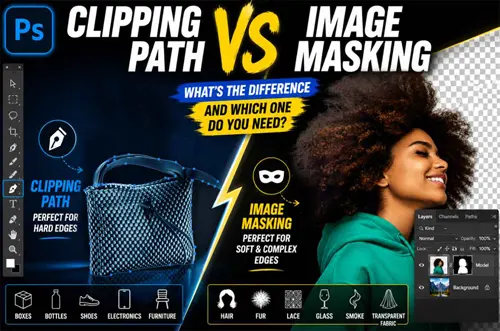
Use clipping path for hard edges:- Think boxes, bottles, shoes, phones. Clean straight lines. A white background. The pen tool draws a tight vector outline. Snip. Done.
Use image masking for soft edges:- Think hair, fur, lace, glass, smoke. Stuff with fuzzy or see-through edges. Masking saves those tiny details a hard path would slice off.
One line to remember: hard edge means clipping path. Soft or transparent edge means image masking. Got a mix of both in one photo? You can use them together. More on that below.
Clipping Path vs Image Masking Comparison Table
Scan this table. It does the heavy lifting in ten seconds.
| Factor | Clipping Path | Image Masking |
|---|---|---|
| What it does | Draws a vector outline to cut | Hides or reveals pixels |
| Best edge type | Hard, sharp, linear | Soft, fuzzy, transparent |
| Method | Pen tool, anchor points | Layer mask, alpha channel |
| Loves | Boxes, bottles, shoes, phones | Hair, fur, lace, glass, smoke |
| Background removal | Clean and crisp | Natural and detailed |
| Weak spot | Slices fine strands | Slower on simple shapes |
| Common use | Ecommerce white-background cutouts | Model photos, soft apparel, glass |
Notice the pattern? It always comes back to the edge. Hard or soft. That’s the fork in the road.
What Is a Clipping Path?
A clipping path is a hand-drawn outline. An editor traces your product in Adobe Photoshop. They use the pen tool. They drop anchor points around the edge. Click, click, click. Those points join into a vector path. A clean outline. Then everything outside it gets cut away.
Why vector matters: the line stays crisp at any size. Zoom in. Still sharp. No blur.
Think of it like cutting a shape with sharp scissors. Steady hand. Clean cut. No frayed edges.
When Should You Use Clipping Path?
Reach for clipping path when your product has clean, hard edges. Simple as that.
It shines on white-background ecommerce product images. The kind marketplaces love. Crisp and geometric.
Clipping path is your friend for:
- Boxes and packaging
- Bottles, jars, and cans
- Shoes and watches
- Phones and electronics
- Furniture with solid edges
See the theme? Solid shapes. No fuzz. No see-through bits. Just clean lines that beg for a tight cut.
What Is Image Masking?
Image masking works at the pixel level. It hides or reveals parts of an image.
Editors use masks and layers in Photoshop. A layer mask. An alpha channel. Channel masking. It controls opacity per pixel. So a strand of hair can fade out softly. No harsh chop.
The big win: it keeps fine detail and partial transparency. The stuff a hard path destroys.
And it’s non-destructive. The original pixels stay safe. You can tweak the mask later. Nothing is lost. Think of a stencil over a window. You decide what light passes through. Soft control. Total flexibility.
When Should You Use Image Masking?
Use image masking when edges get complex, soft, or see-through. This is where it earns its keep. Got flyaway hair? Fluffy fur? A sheer veil? A clipping path would butcher them. Masking saves them.
Image masking is built for:
- Hair and fur
- Lace, mesh, and net fabric
- Transparent fabric and wedding veils
- Glass, water, and smoke
- Feathers and soft apparel edges
- Model photos with loose strands
Anything wispy or clear belongs here. Why fake a strand of hair when you can keep the real one?
The Real Difference: Hard Edge vs Soft Edge
Forget the jargon for a sec. The whole choice hides in one word. Edge.
Hard edges are crisp boundaries:- A bottle. A box. A phone. The line between product and background is sharp. Clipping path nails it.

Soft edges fade and blend:- Hair. Fur. Smoke. The edge isn’t a line. It’s a slow transition. Masking handles that gradient.

Mixed edges happen too:-A model in a wool coat. Sharp buttons, soft fibers. Then you blend both methods. As the old saying goes, the right tool makes light work. Match the method to the edge. Always.
Can You Use Clipping Path and Image Masking Together?
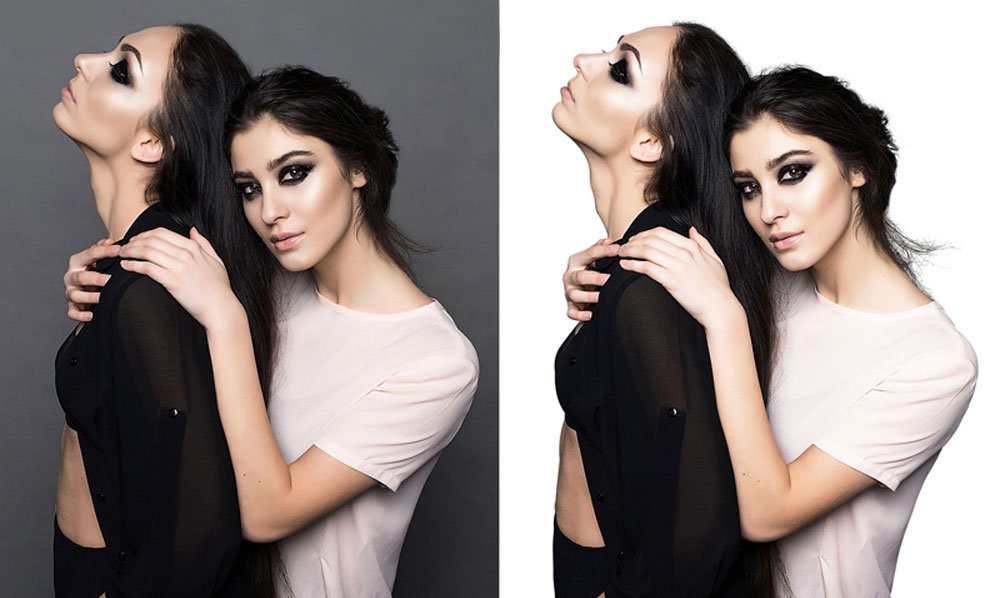
Yes. And pros do it all the time. One photo can need both.
Say you shoot apparel for ghost mannequin editing. The garment shape has clean seams. Hard edges.
But the collar has soft fuzz. Or there’s a sheer panel. Soft edges. One method can’t do both well.
So the workflow mixes them:
- Clipping path cuts the clean structural edges.
- Image masking rescues hair, fur, and transparent bits.
This combo also shines on product photos with shadows or reflections. You get a clean cut and real detail. Think of it like a tailor. Scissors for the bold cuts. A fine needle for the delicate work.
Clipping Path, Clipping Mask, and Image Masking: Are They the Same?
Nope. And this trips a lot of people up. The names sound like cousins. They’re not twins.
Clipping path is a service method:- It’s the vector outline an editor draws to cut your product. That’s the thing you order.

Clipping mask is a Photoshop feature:-It’s a software trick. One layer controls the visibility of another. A workflow term, not a service. If you’re curious how it works, see our guide on what a clipping mask is and how to use a clipping mask in Photoshop.
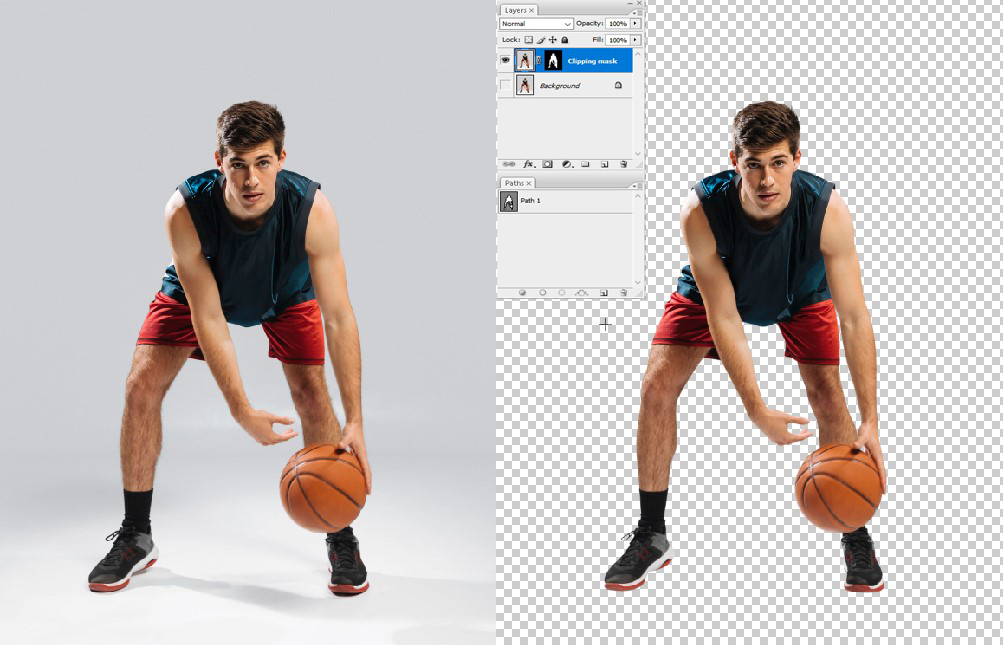
Image masking is the pixel-based service:-It handles soft and transparent edges. Different job from a clipping path. Different result.
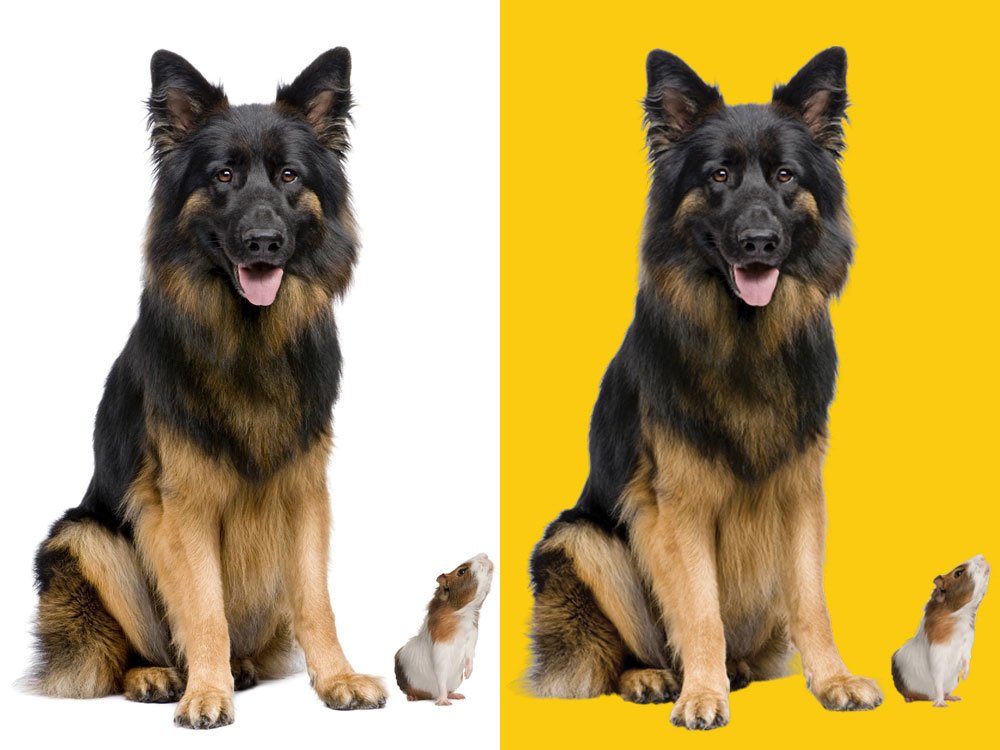
Easy way to keep it straight: clipping path and image masking are services. Clipping mask is a tool inside Photoshop.
Which Method Is Best by Product Type?
Sometimes you just want a cheat sheet. Here it is. Match your product to the method.
| Product Type | Best Method | Why |
|---|---|---|
| Bottles and jars | Clipping path | Hard, glossy, simple edges |
| Shoes and bags | Clipping path | Clean structural lines |
| Electronics and phones | Clipping path | Sharp geometric edges |
| Jewelry with chains | Both combined | Hard metal, fine links |
| Apparel on models | Image masking | Hair and soft fabric edges |
| Fur and wool items | Image masking | Fuzzy detailed edges |
| Glass and perfume | Image masking | Transparency to preserve |
| Veils and lace | Image masking | Sheer see-through detail |
Selling on Amazon, Shopify, eBay, or Walmart? These calls keep your catalog clean and marketplace-ready.
AI Background Removal vs Manual Clipping Path and Image Masking
AI background removers are fast. One click. Tempting, right? But speed has a cost. On simple shapes, AI can do okay. A plain box on white. Fine. It gets the easy stuff.
Then it meets hair.
Strands get chopped. Edges look fake. Fur turns to mush. Glass loses its see-through magic.
Reflective surfaces confuse it too. Shiny metal. Wet glass. The AI guesses wrong and leaves halos.
Manual editing wins on detail:- A human eye catches what software misses. Every strand. Every edge. That’s the difference our manual background removal service delivers.
That’s why bulk ecommerce images still need human QA review. A real editor checks the work. AI is a helper, not a finisher. Would you trust a robot to cut your hair with no mirror?
Common Mistakes When Choosing Between Clipping Path and Image Masking
Pick the wrong method and your photos pay for it. Here are the traps to dodge.
Chopped hair and fur:- Using clipping path on hair. The strands get sliced into jagged outlines. It screams fake.
Halo effect around the cutout:- A faint background ring clings to the product. Looks sloppy. Buyers notice. So does the marketplace.
Lost transparency:- Cutting glass or sheer fabric with a hard path. You lose the see-through look. The product looks solid and wrong.
Paying for the wrong service:- Ordering masking for plain boxes wastes money. Ordering clipping path for fur wastes the photo. Match the edge.
Wondering why hair looks fake after background removal? It got the hard-edge treatment it never needed.
How to Check If the Final Cutout Looks Professional
Got your edited images back? Don’t just glance and approve. Run this quick check.
Zoom in to 200% or more.
That’s where flaws hide. High-zoom refinement separates pro work from rushed work.
Look for these green flags
- Clean edges with no jagged outlines
- No visible background halo or color ring
- Intact fine details like hair and lace
- Natural, realistic shadow or reflection
- Consistent look across the whole batch
Batch consistency matters most for big catalogs. One odd image breaks the whole grid. Keep it uniform. Still unsure? Ask for clipping path samples or image masking samples before you commit. A good studio says yes
Final Recommendation: Which One Do You Need?
Let’s land the plane. The decision is simpler than it feels.
Choose clipping path if:
- Your products have clean, hard edges
- You need white-background ecommerce cutouts
- Think boxes, bottles, shoes, electronics
Choose image masking if:
- Your photos have hair, fur, or soft fabric
- You’re working with glass or transparency
- You need natural, detailed edges
Mix of both? Order a combined edit. The right studio handles it without you stressing the details. Not sure which fits your batch? Upload two or three images for a free trial. We test them in 45 minutes or less.
That’s how Clipping Photo Experts works. Hand-drawn paths. Real masking. Human QA. We’ve refined this for over 17 years, and we can knock out 3 to 4 thousand images in 24 hours. Send your images. Get a free sample edit or a quote for your batch. Then upload clean photos and grow your sales.
Frequently Asked Questions
What is the main difference between clipping path and image masking?
Clipping path uses a vector path to cut hard edges. Image masking uses pixel-based masking for soft edges.
Paths give clean lines. Masks keep fine detail in raster pixels. Hard edge versus soft edge, basically.
Is image masking better than clipping path?
Not better. Different. Image masking wins on complex edges, hair, and semi-transparency.
Clipping path wins on clean shapes. Each one is the best tool for its own job. Match it to the edge.
When should I use clipping path?
Use it for clean, linear cutouts with geometric edge precision. Boxes, bottles, shoes, electronics. The manual vector anchors give resolution-independent lines. They stay sharp at any size you need.
When should I use image masking?
Use it for fine strands and soft edges. Hair, fur, lace. Image masking isolates each strand cleanly. It removes the background without losing lace detail. Color-range selection helps grab the tricky bits.
Can clipping path and image masking be used together?
Yes. A combined workflow handles mixed-edge images. Hard edges get a path. Soft edges get a mask.
This multi-layered editing is standard for apparel, jewelry, and product shots with mixed edges.
Is clipping path the same as clipping mask?
No. Clipping path is a service method. An editor draws a vector outline to cut your product.
Clipping mask is a Photoshop software feature. It’s a workflow term, not a service you order.
Which method is best for hair background removal?
Image masking, every time. Hair masking keeps fine strands that a hard path would chop off.
Fine hair-strand isolation needs pixel-level control. A clipping path just can’t do it without looking fake.
Which method is best for transparent products?
Image masking handles transparent objects best. Glass, perfume bottles, sheer fabric. It keeps natural transparency.
Want to preserve glass transparency in a Photoshop cutout? Use masking. A hard path makes glass look solid and flat.
Is AI background removal enough for ecommerce images?
Sometimes for simple shapes. Often not. AI background removers fail on hair, fur, and reflective surfaces.
Bulk ecommerce images still need manual photo editing and human QA review for clean, consistent results.
What file format should I request after clipping path or image masking?
Ask for transparent PNG for web use. It keeps the cutout edges clean with no background.
Need editable masks? Request PSD or TIFF. JPG works for flat images. WebP keeps files small for fast pages.

Shahidul Islam
Founder & Managing Director at Clipping Photo Experts
Helping photographers, brands, and ecommerce businesses create stunning visuals through professional photo editing, image masking, retouching, and post-production services. Passionate about sharing practical Photoshop and photography insights based on real-world experience.