
Pre-Stitch Panorama Retouching Services for Real Estate & 360° Virtual Tours
Your stitch is only as clean as the frames you feed it. We handle panorama retouching before you stitch, so seams vanish and exposure stays even. Real estate, 360 tours, HDR, drone, and more. Send raw frames. Get stitch-ready ones back. Fast, manual, and built for your deadlines.

550+ PANORAMAS / DAY
Get large number of image masking service
12 Hours Delivery
Get your panorama images professionally retouched within 24 hours or less.
Unlimited revisions
We refine your panorama images until you’re 100% satisfied.
Seamless Stitch Correction
We fix stitching errors, ghosting, and misalignment for flawless panoramic views.
Inhouse Team
Our skilled designers ensure high-end retouching, color balance, and distortion correction.
Stitch-Ready Panorama Frames, Retouched Before You Stitch
Ever stitched a tour only to watch the seams show up as hard lines? That’s a source-frame problem, not a software one. Our panoramic photo editing services fix the input first. Exposure is matched across brackets, with tone balanced where frames meet. The rig, nadir, and glare are cleaned by hand. No auto sliders, no one-click shortcuts. This is careful panorama retouching that gives your stitcher clean frames to work with. You get smoother panorama stitching, fewer ghosts, and far less cleanup afterward. You shoot, we prep. Your panorama photo editing goes from messy to seamless, frame by frame.
The result?
Smoother panorama stitching, fewer ghosts, and far less cleanup after. You shoot. We prep. Your panorama photo editing goes from messy to seamless, frame by frame.
- Pre-stitch, not post-stitch
- Exposure-matched bracket frames
- Color consistency across angles
- Seam-friendly tonal balancing
- Manual rig and nadir cleanup
- Cleaner stitches, fewer artifacts
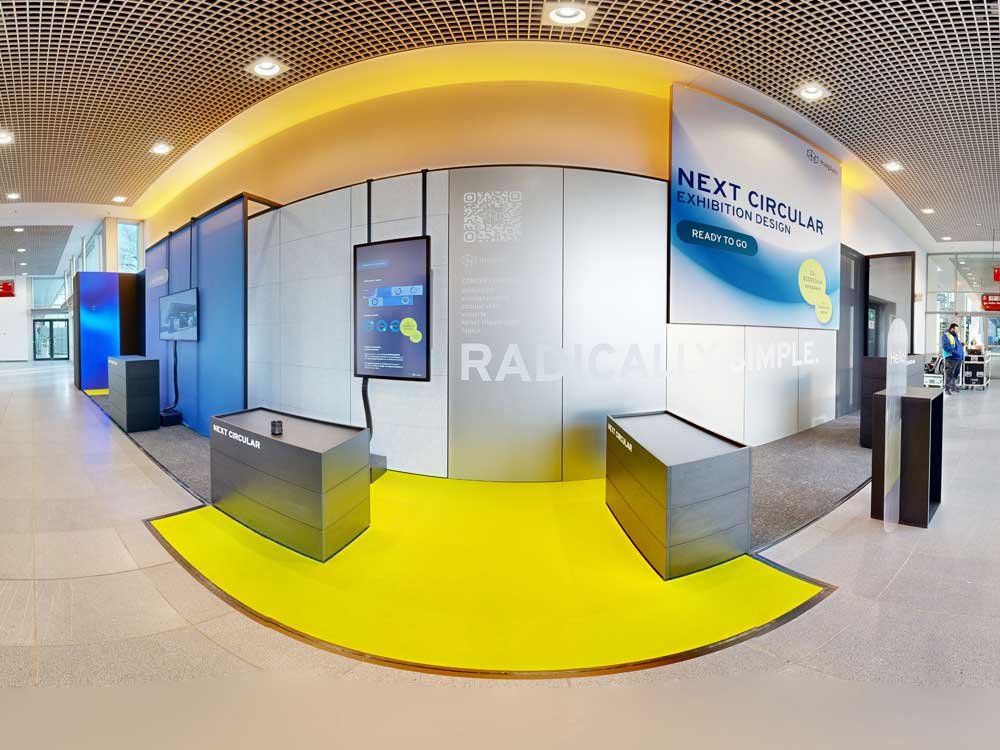
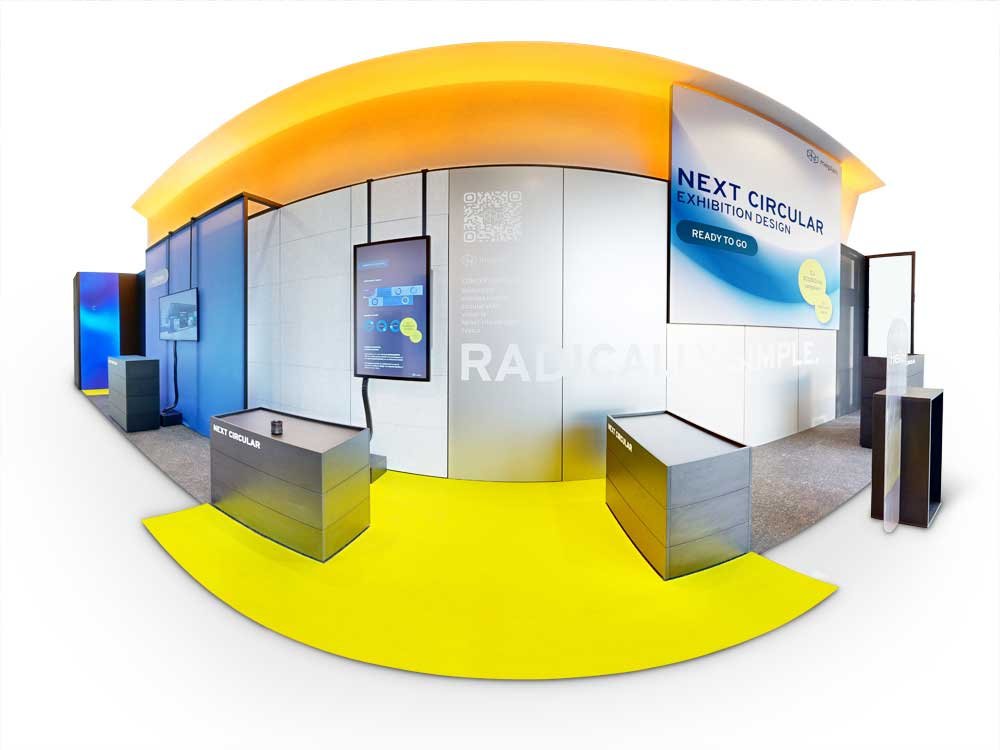
Why Panorama Source Frames Need Retouching Before Stitching
Here’s what most folks miss: your stitcher aligns pixels, it doesn’t fix them. Feed it mismatched, glary, or dusty frames. It locks those flaws straight into the final view. It’s the same principle as cooking. A good result depends on good ingredients going in. The cleaner the frames, the cleaner the stitch. That’s why experienced photographers outsource real estate panorama photo editing services. Our real estate panorama editing services happen before stitching. Your panoramic stitching comes out smooth, with less rework and more finished tours. Want fewer reshoots? Start with prepped frames.
What Panorama Stitching Software Can't Fix on Its Own
Stitching software is smart, but it isn’t a retoucher. It aligns frames and ignores visual continuity. So it can’t remove reflections or glare. It only blends what’s already there. Worse, it bakes capture flaws right into the seams. A single smudge becomes a permanent line. The cleaner the frames going in, the less you fix coming out. The software does the math. Panorama retouching is where the human eyes come in.
- Aligns frames, ignores visual continuity
- Can’t remove reflections or glare
- Locks capture flaws into seams
- Clean input drives seamless output
What Breaks When Source Frames Aren't Prepped
Skip the prep and the problems pile up fast. Mis matched frames leave visible seams. Brightness drifts from angle to angle. People move mid-capture and leave ghosting behind. Windows blow out with glare and reflections. Clutter and dust sneak into every tile. Then you’re stuck patching a stitched mess instead of clean frames. That’s the slow way to work. Handling the panorama retouching upfront saves the whole job.
- Visible seams from mismatched frames
- Uneven brightness and exposure
- Ghosting from people and movement
- Window glare and reflections
- Distracting clutter and dust
Complete High-End Panoramic Photo Editing & Retouching Services
From spot cleanup to full scene reconstruction, here’s every panoramic photo editing task we handle to get your source frames stitch-ready and clean.
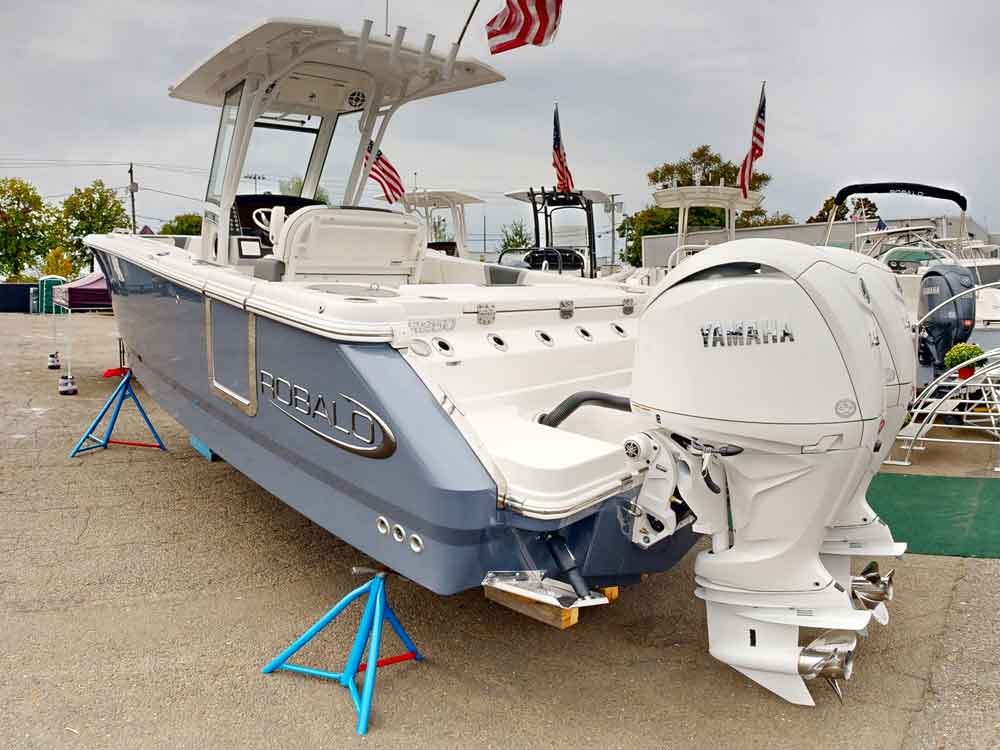
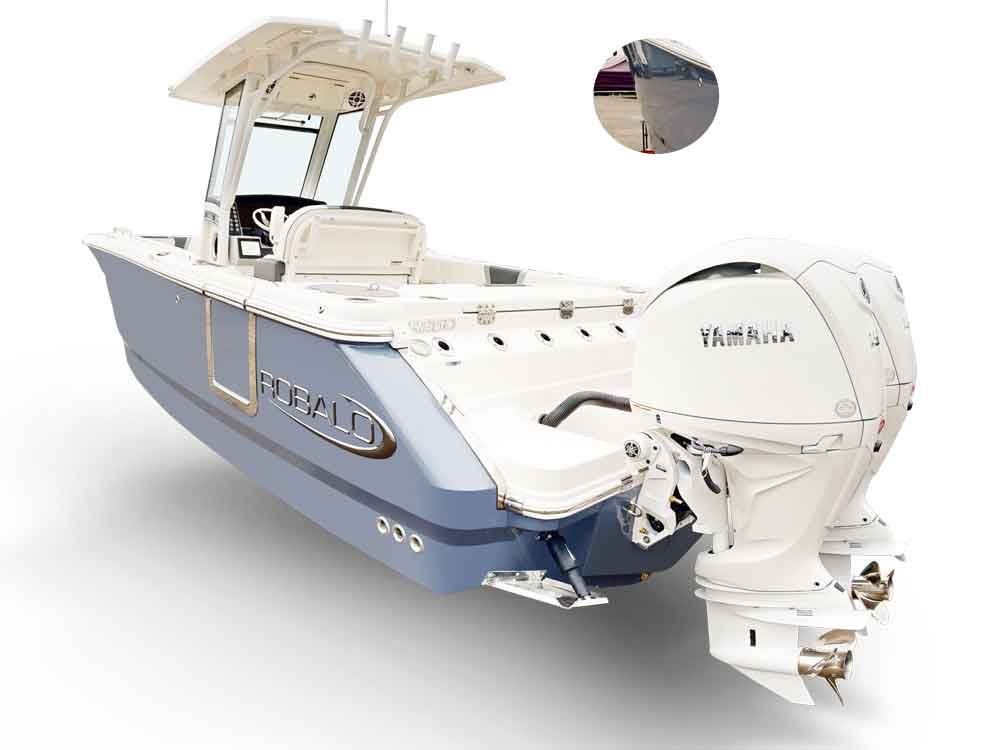
Unwanted Spot and Shadow Removal
Small spots ruin a clean panorama. We remove distracting marks and stains by hand. Wall and floor blemishes are healed until they vanish. Harsh shadows get softened so they read natural rather than flat. Need our object removal service? The healing brush and clone stamp clear every defect cleanly, with shadow balanced in each frame. What you get back is polished, panorama-ready work. No leftover stains, just clean frames ready to stitch. That’s panorama retouching done by hand.
- Remove distracting spots and stains
- Clean harsh shadows naturally
- Retouch wall and floor marks
- Heal small visual defects
- Polished panorama-ready frames
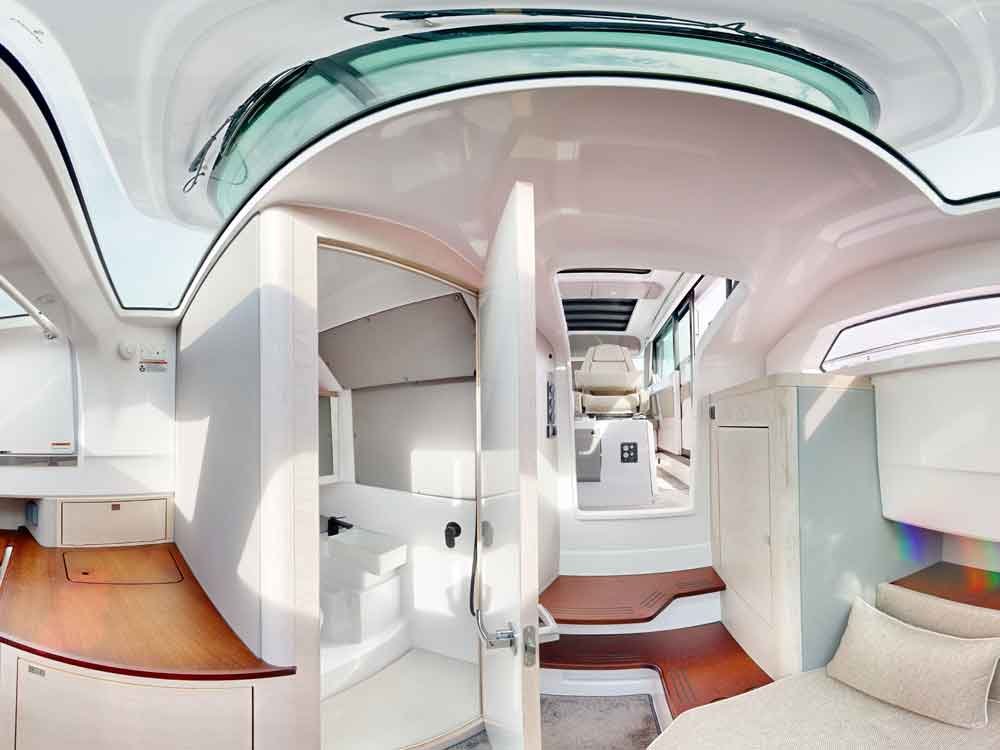
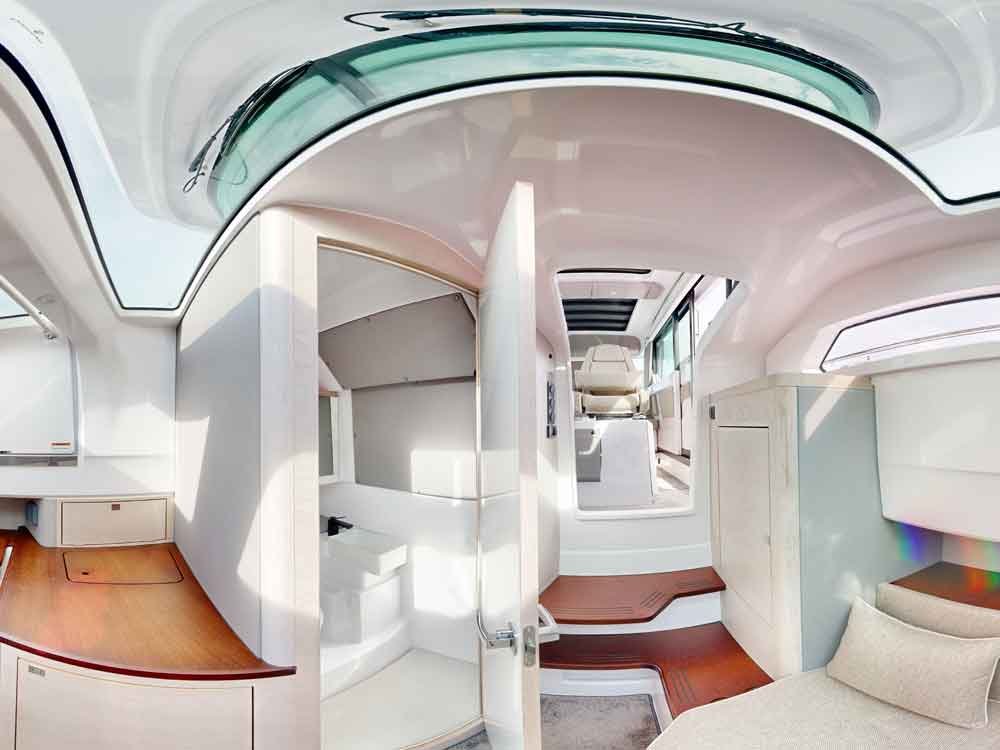
Wire, Cable, and Switchboard Cleanup
Cords kill the calm in a room shot. We pull visible wires and cables from every frame. Switchboards come off the walls, and tangled cords around furniture get tidied. Ceiling runs and wall clutter are cleaned up too. Nothing distracts from the space itself. The payoff is a distraction-free panoramic view, with object removal handled frame by frame.
- Remove visible wires and cables
- Clean switchboards from interiors
- Tidy cords around furniture
- Fix ceiling and wall cable clutter
- Distraction-free panoramic views
Sensor Dust and Minor Mark Cleanup
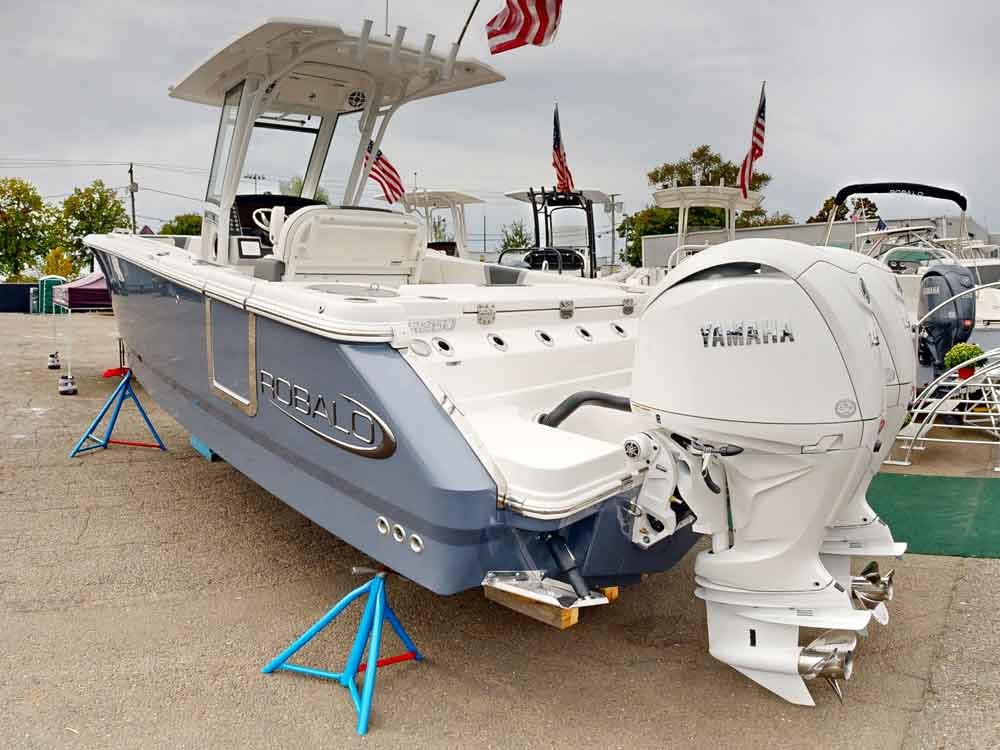
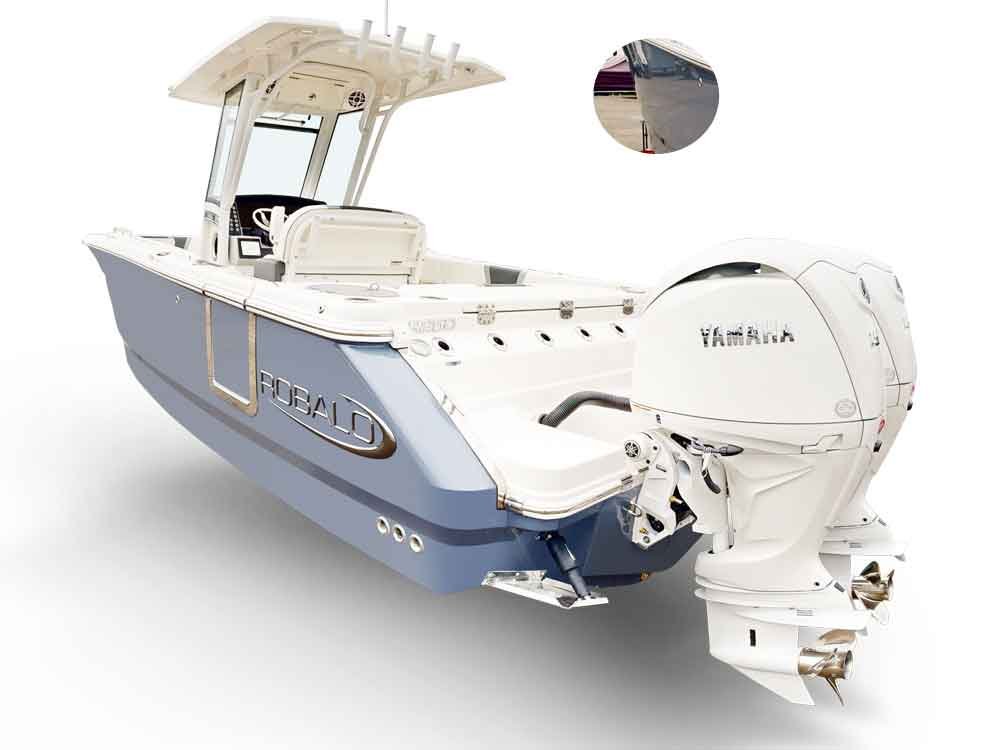
Sensor dust shows up worst in wide skies and plain walls. We handle sensor dust removal with care. Small image marks are cleared one at a time. Visible lens smudges get corrected along the way. This panorama retouching runs in Adobe Photoshop and Camera Raw. The results are accurate and controlled, with every spot corrected precisely. The output is clean, dust-free panorama frames ready for the stitcher.
- Remove sensor dust spots
- Clean small image marks
- Correct visible lens smudges
- Retouch with Photoshop precision
- Accurate, clean panorama frames
Scene Background Replacement
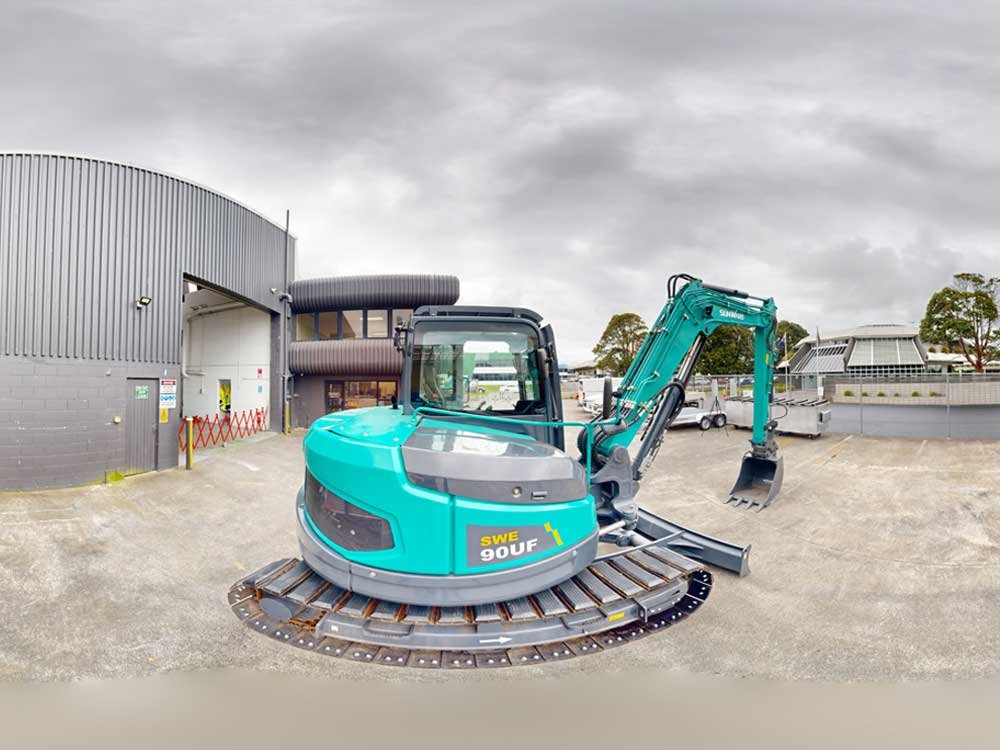
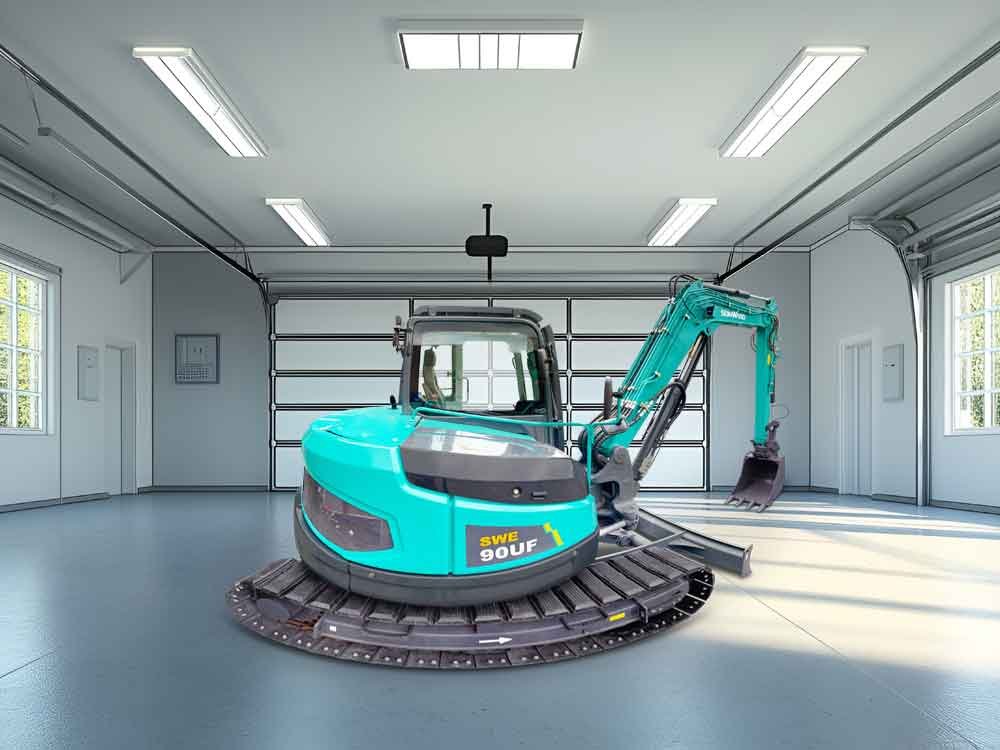
Sometimes the view behind the window doesn’t work. We swap it for something believable. Natural transitions are built between angles. Realistic layer masking keeps every edge clean. Light and perspective are matched so nothing looks pasted in. The result reads smooth and convincing. This is photo background editing done the way it should be.
- Replace unwanted backgrounds
- Create natural scene transitions
- Use realistic layer masking
- Match light and perspective
- Smooth, believable final output
Complete Scene Color Correction
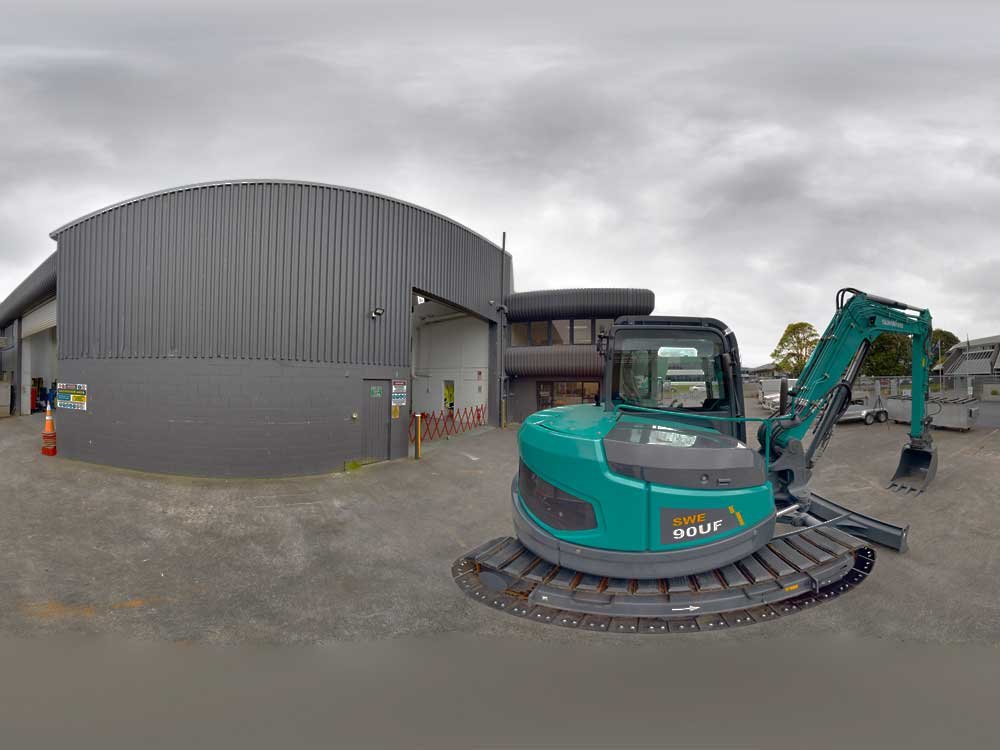
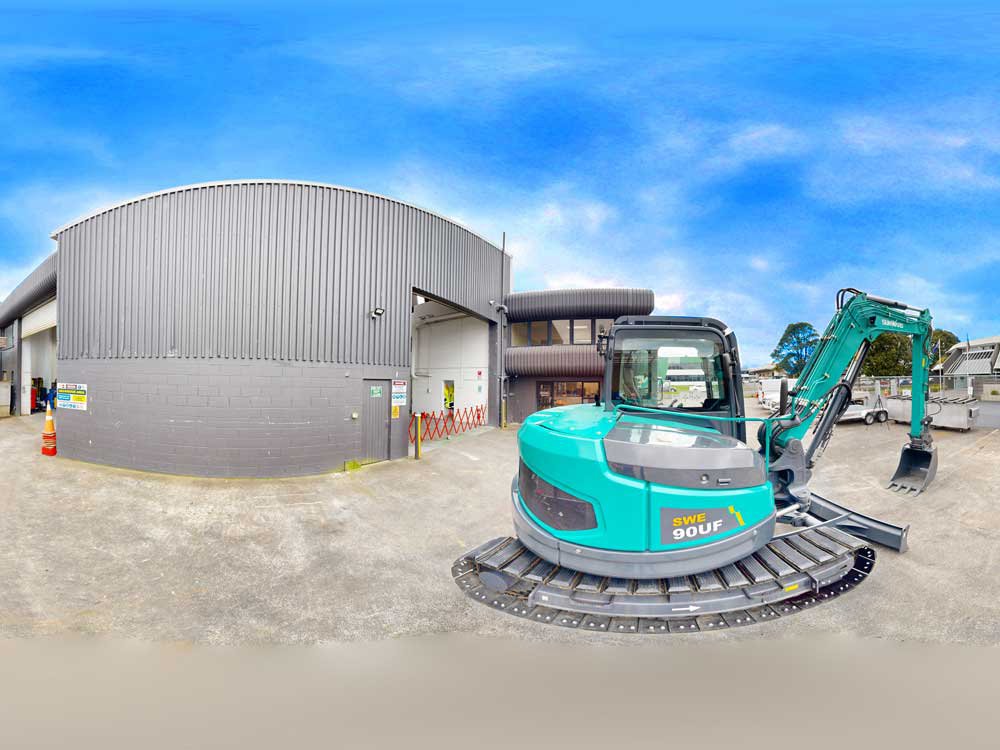
Dull frames make a dull tour. We correct color across the whole scene. Tone and contrast are balanced so frames match from angle to angle. Uneven or flat lighting gets fixed quickly. Our professional color correction service keeps image color matching consistent throughout. What comes back is clean, natural panoramic frames. This color grading service is done by hand, not by slider.
- Balance tone and contrast
- Create accurate color consistency
- Fix dull or uneven lighting
- Clean, natural panoramic results
- Correct overall image color
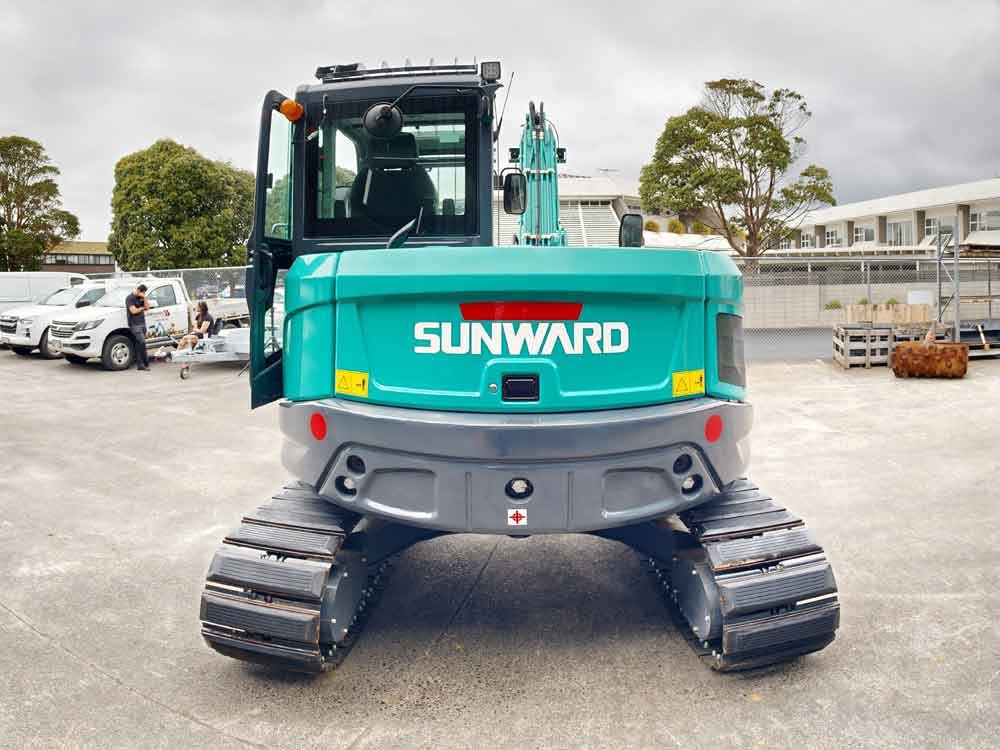
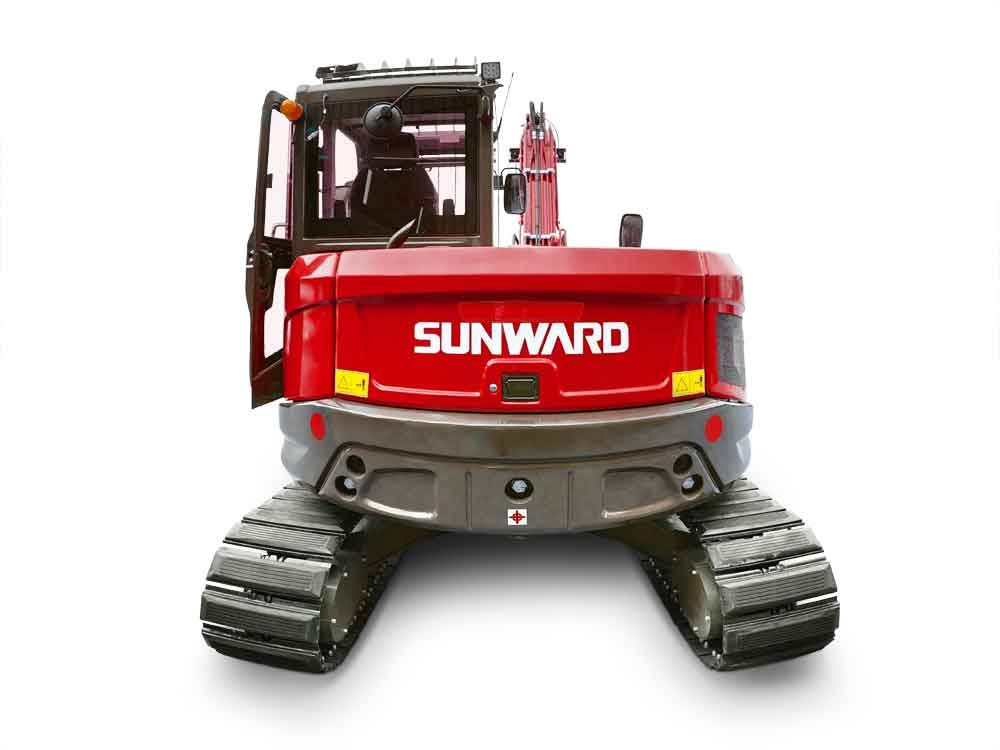
Product and Surface Color Changing
Selling a space? Show it in every shade. Our product color change service recolorsproduct surfaces to match the look you’re after. Product shade variations are adjusted cleanly. Ecommerce-ready visuals are prepped to Shopify, WooCommerce, and Amazon specs. Our selective color change work keeps every swap looking natural, never pasted on. It’s ecommerce photo editing built specifically for panoramas.
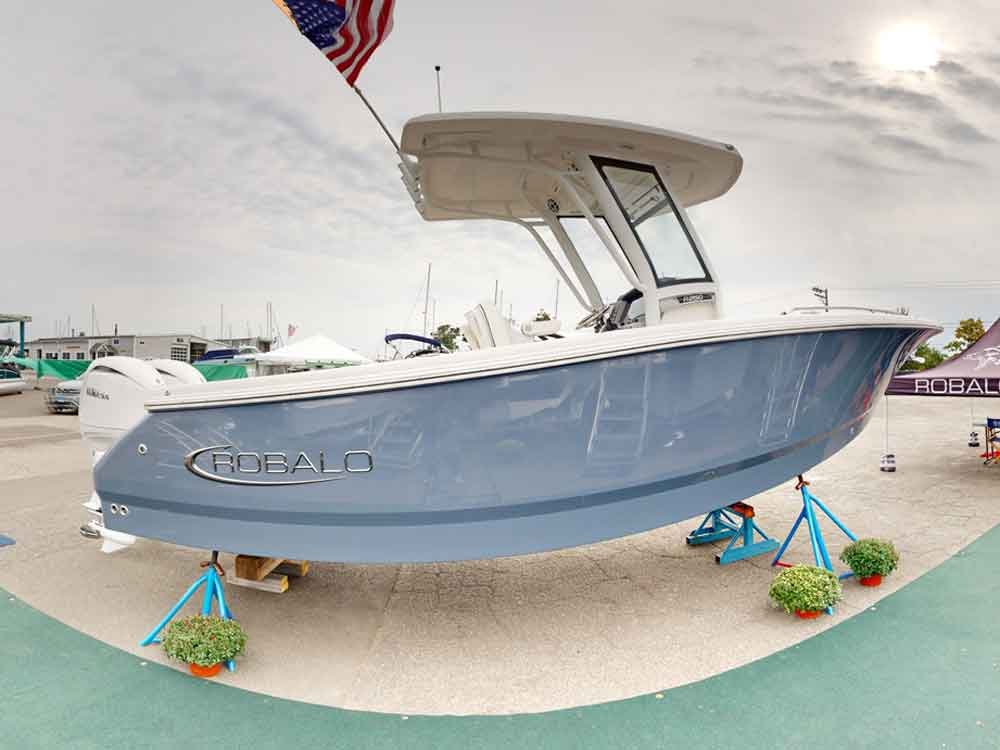
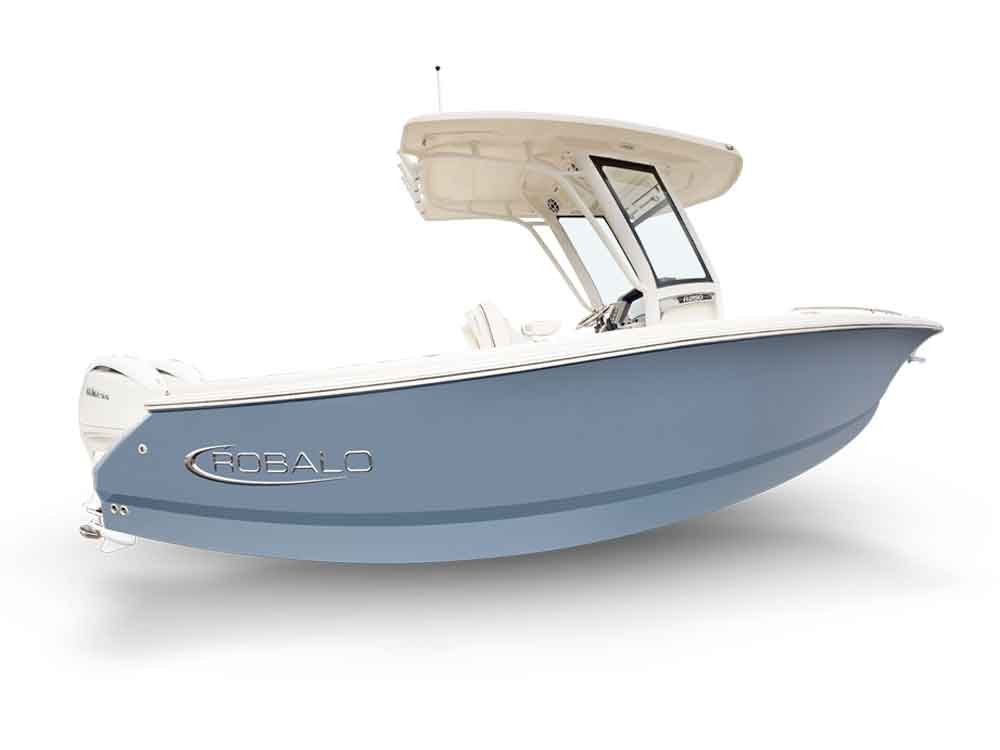
- Change Boat Panorama surface colors
- Adjust product shade variations
- Prepare ecommerce-ready visuals
- Natural color replacement output
- Match Shopify, WooCommerce, and Amazon needs
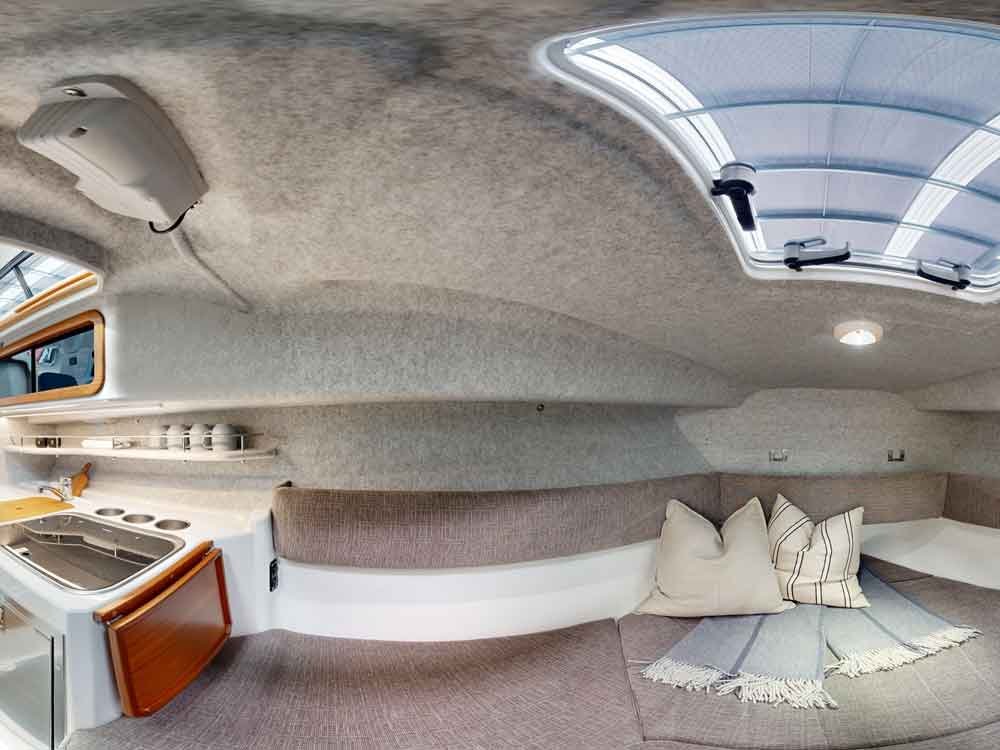
Blur Reduction and Detail Sharpening
A soft frame drags down the whole stitch. We sharpen the details that matter, edge by edge. Nothing gets pushed harsh. Clarity is lifted where it counts, bringing soft areas back into focus. Need to sharpen blurry image files or sharpen blurry photo frames? Soft blur is reduced and crisp, high-resolution output is restored. The result is sharp, detailed panoramic frames. That’s photo clarity enhancement done right.
- Reduce soft image blur
- Sharpen important image details
- Improve edge clarity
- Enhance high-resolution output
- Crisp, detailed panoramic frames
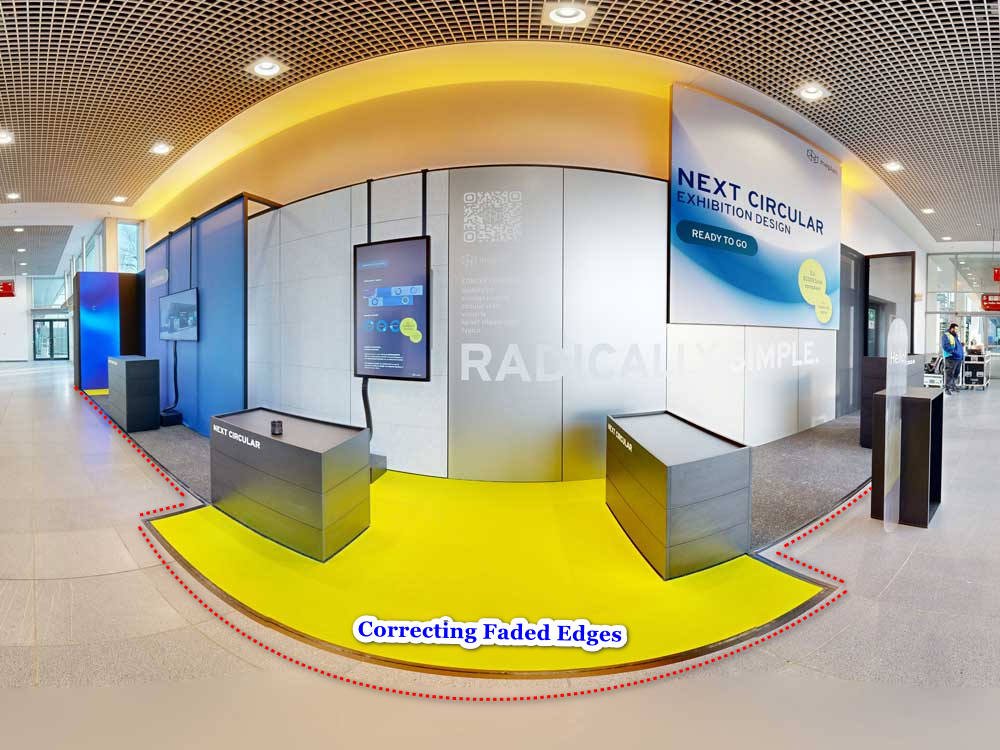
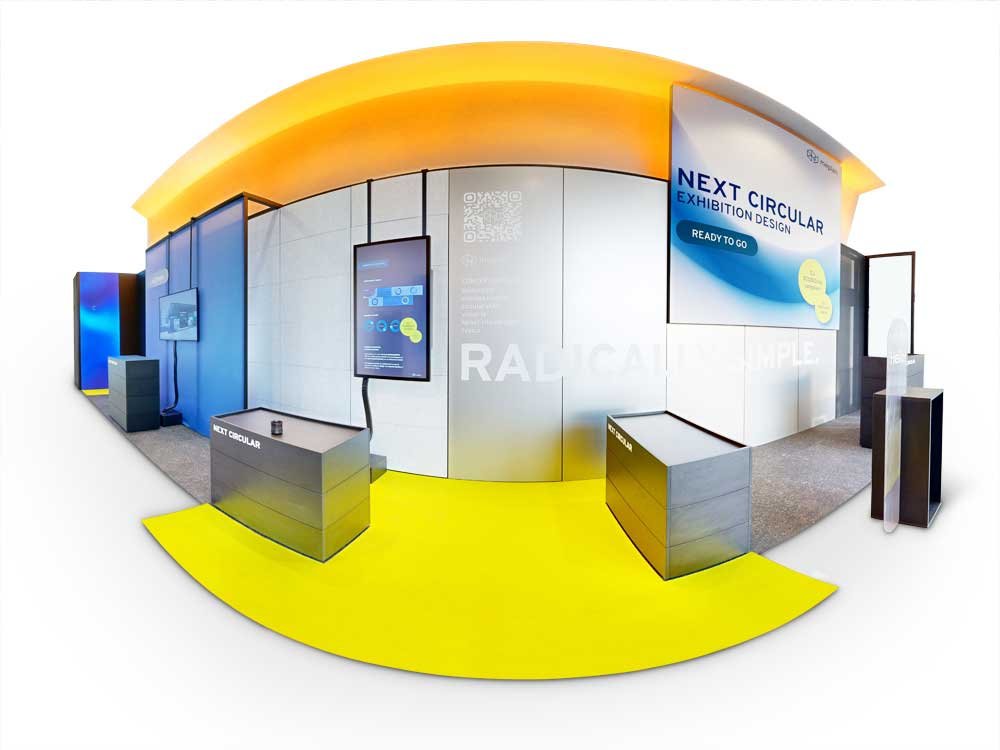
Faded Edge and Border Recovery
Edges fade where frames overlap, and that wrecks your seams. We restore weak edge detail and recover faded border zones. The lost corner information your stitcher relies on gets repaired. High-resolution output is improved so the edges hold up under stitching. What you get is clean edges before stitching. No mushy corners, just frames that line up right.
- Recover faded frame borders
- Restore weak edge detail
- Repair lost corner information
- Improve high-resolution output quality
- Clean edges before stitching
FREE SAMPLE EDIT
See What Great Retouching Can Do
Curious about the difference? Send three or five panoramas and we’ll edit them free — no payment, no pressure. Just professional results you can judge for yourself.
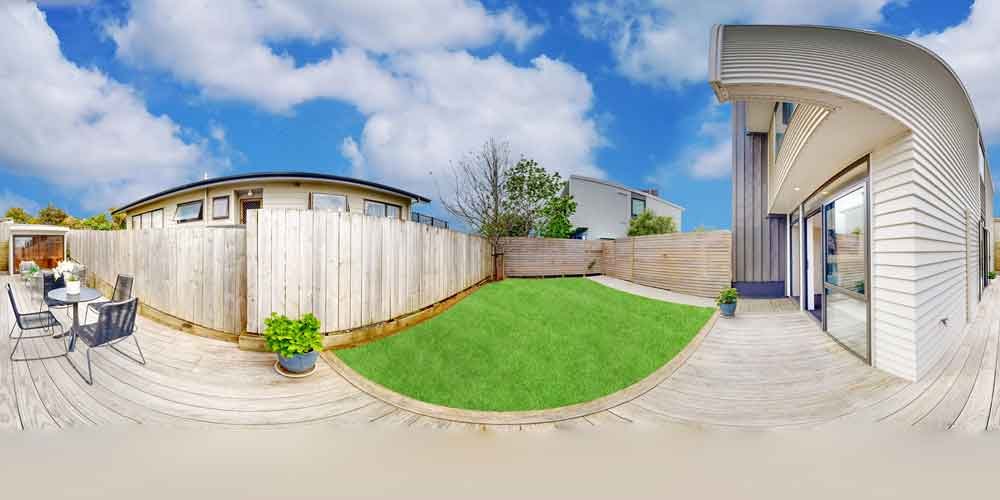
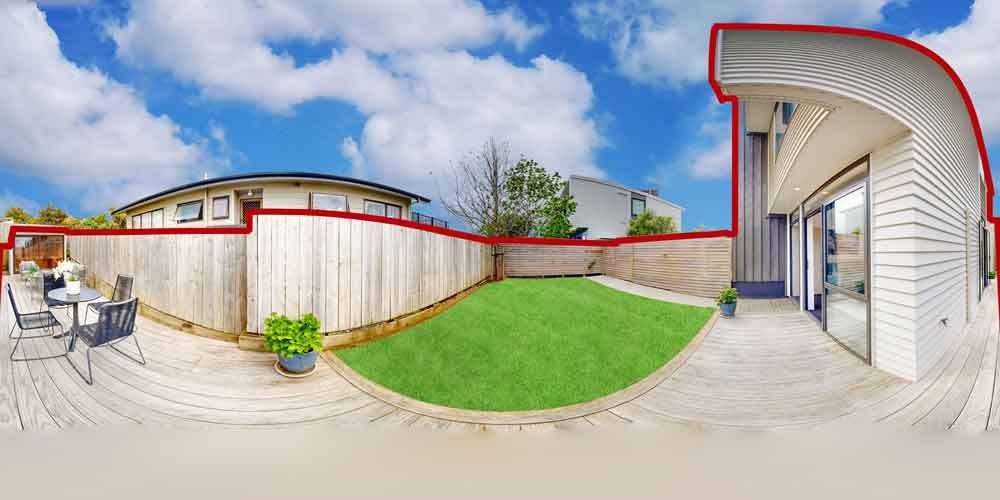
Property Boundary Line Tracing
Buyers want to see what they’re buying. We trace clear property boundaries by hand for your property listing photography. Accurate lot lines and horizontal lines are added so they read true. The work supports MLS listing presentation and clean real estate listings. Commercial property areas get marked clearly. The output is sharp, agent-ready visuals your team can hand straight to clients.
- Trace clear property boundaries
- Add accurate lot lines
- Support MLS listing presentation
- Mark commercial property areas
- Clean real estate listing visuals
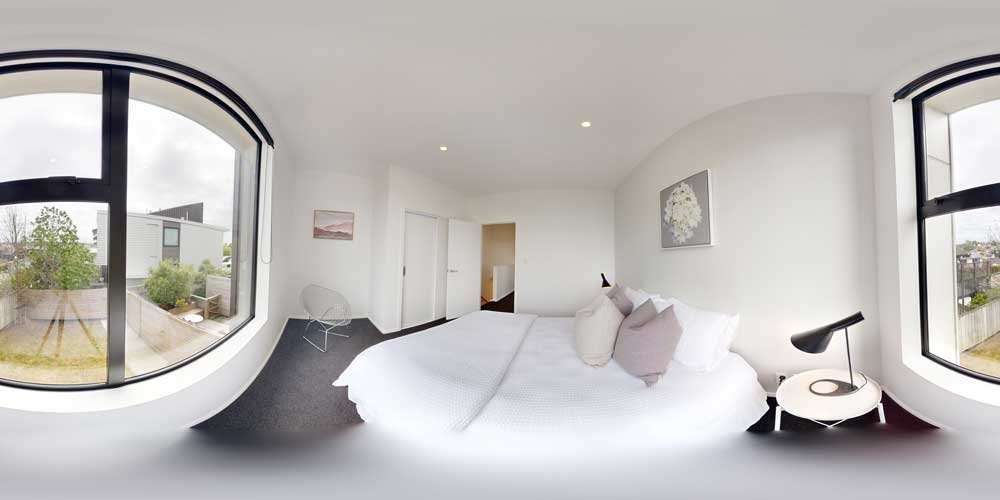
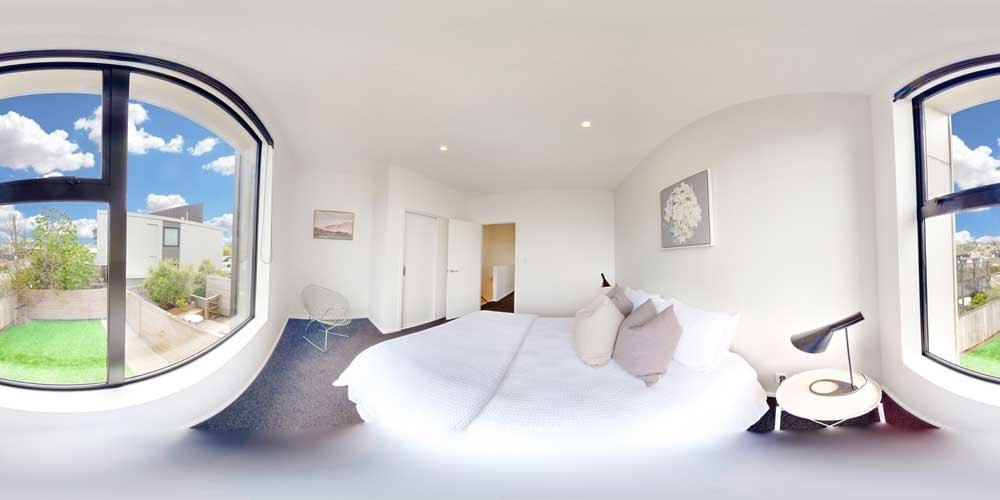
Window Pull Blending
Blown-out windows make a bright room look broken. We recover them with HDR blending. Indoor and outdoor exposure are merged into a single balanced frame. Window glare is reduced the natural way so the view returns. The result is glare-free, clean real estate interior frames. This HDR retouching is exposure blending and HDR photo editing built for panoramas. Careful panorama retouching makes your windows look real again.
- Recover blown-out windows
- Blend indoor and outdoor exposure
- Reduce window glare naturally
- Create balanced HDR window views
- Clean real estate interior frames
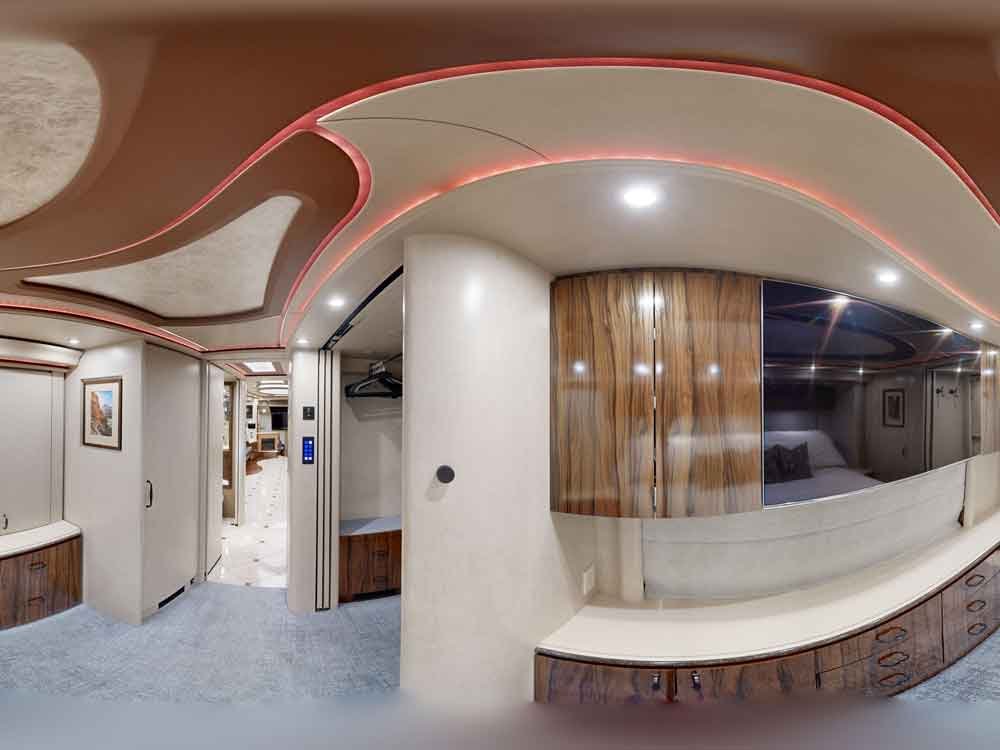
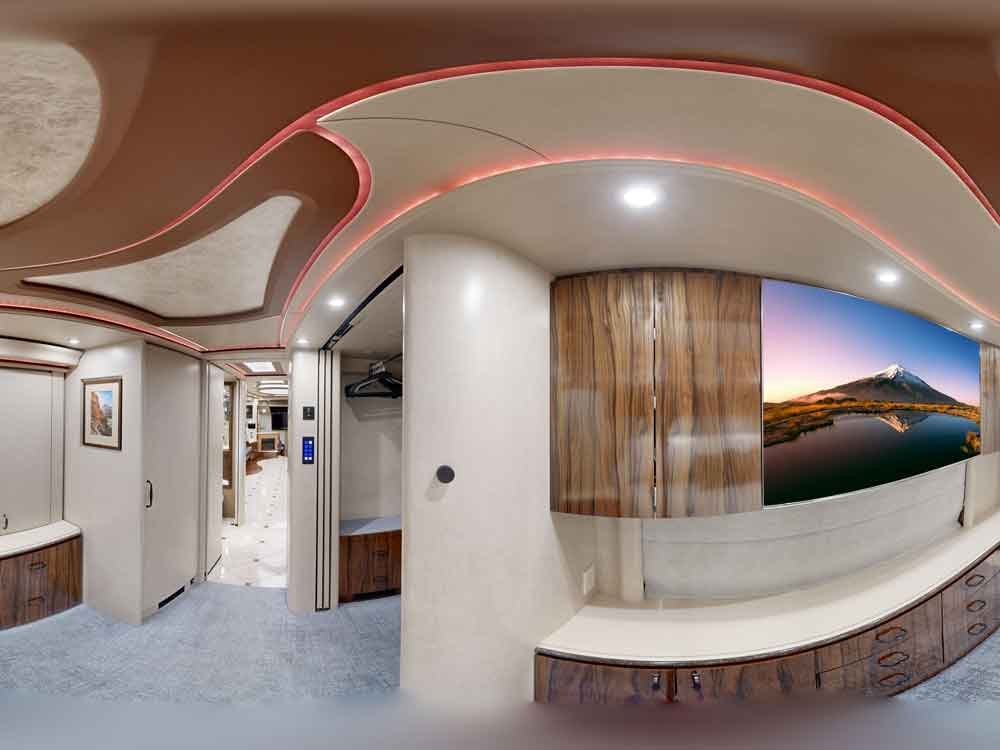
TV Screen Content Replacement
A blank TV reads as a dead black rectangle in the room. We replace those empty screens with clean content. It’s matched to the room’s lighting so it sits naturally. Any glare on the display gets cleared. It works beautifully for interior design shoots and any interior design portfolio. It’s close to essential for commercial interior photography. The output is portfolio-ready visuals, frame by frame.
- Replace blank TV screens
- Add clean screen content
- Remove glare from displays
- Match room lighting naturally
- Interior portfolio-ready visuals
Flash Reflection Cleanup
Flash bounces off glass and ruins the shot. We remove flash reflections from shiny surfaces by hand. Each one is cleared until the surface looks clean. Harsh light spots get softened without flattening the detail underneath. Everything stays realistic, never faked. This is glass reflection removal and glare removal done right. The frames come back polished and natural.
- Remove flash reflections
- Clean glare from shiny surfaces
- Reduce harsh light spots
- Keep reflections realistic
- Polished, natural panoramic frames
Ready to See the Difference?
Send 3–5 panorama images and get a free edited sample with no obligation.
Missing Area Reconstruction
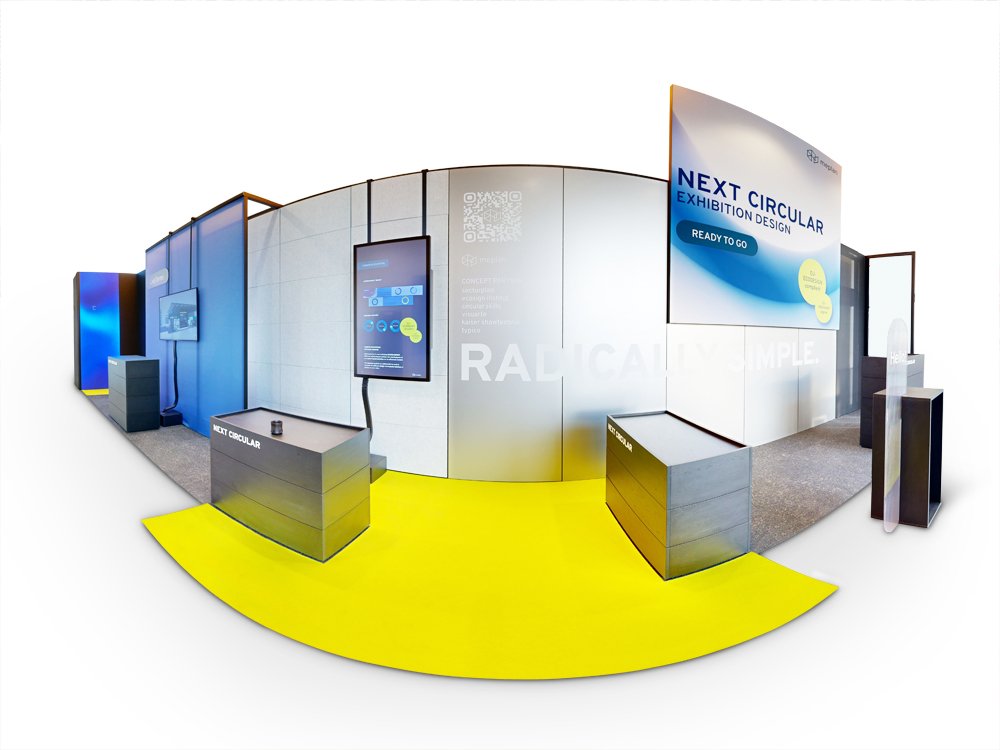
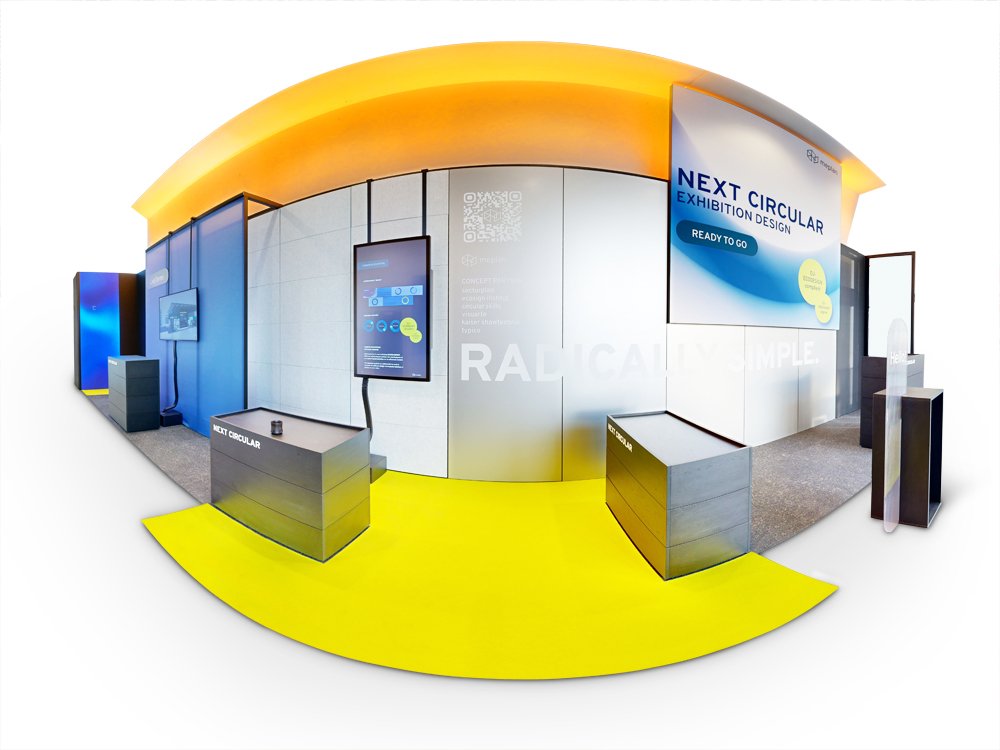
Sometimes a frame has a hole the stitch can’t cover. We rebuild it. Content-aware fill reconstructs the missing area. The clone stamp matches texture. This content aware photo editing runs in Adobe Photoshop with full control. Need the working files? We deliver a layered PSD when you ask for one. Surrounding texture is matched so the repair disappears. The result is seamless, panorama-ready reconstruction.
- Rebuild missing image areas
- Use content-aware repair methods
- Match surrounding texture naturally
- Fix damaged frame sections
- Seamless panorama-ready reconstruction
Camera and Mirror Reflection Removal
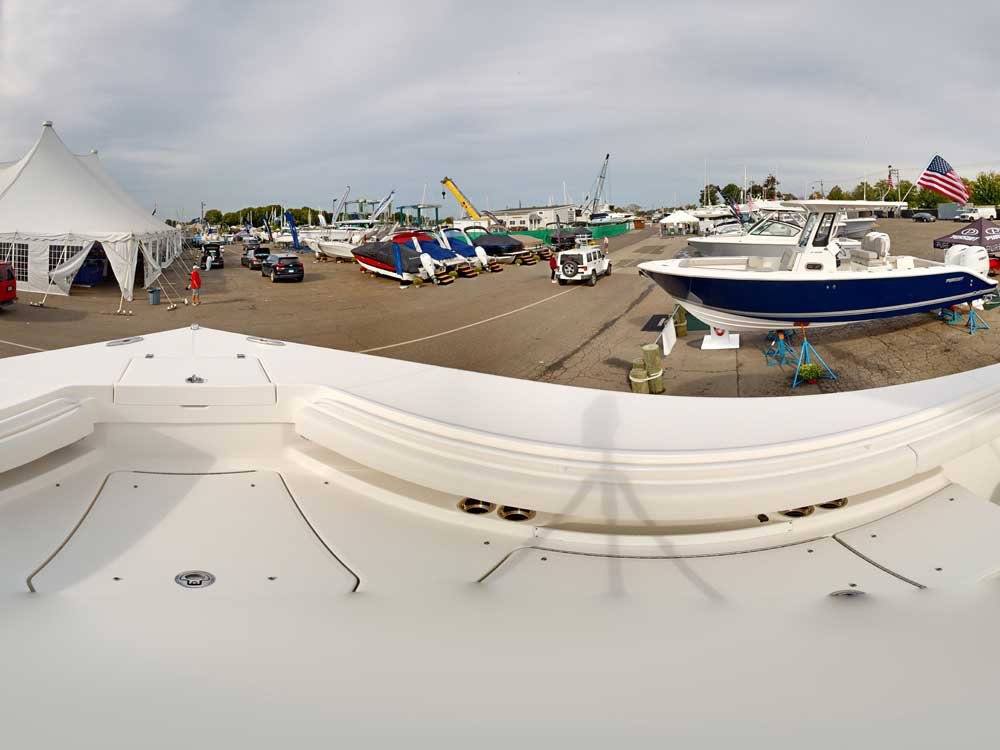
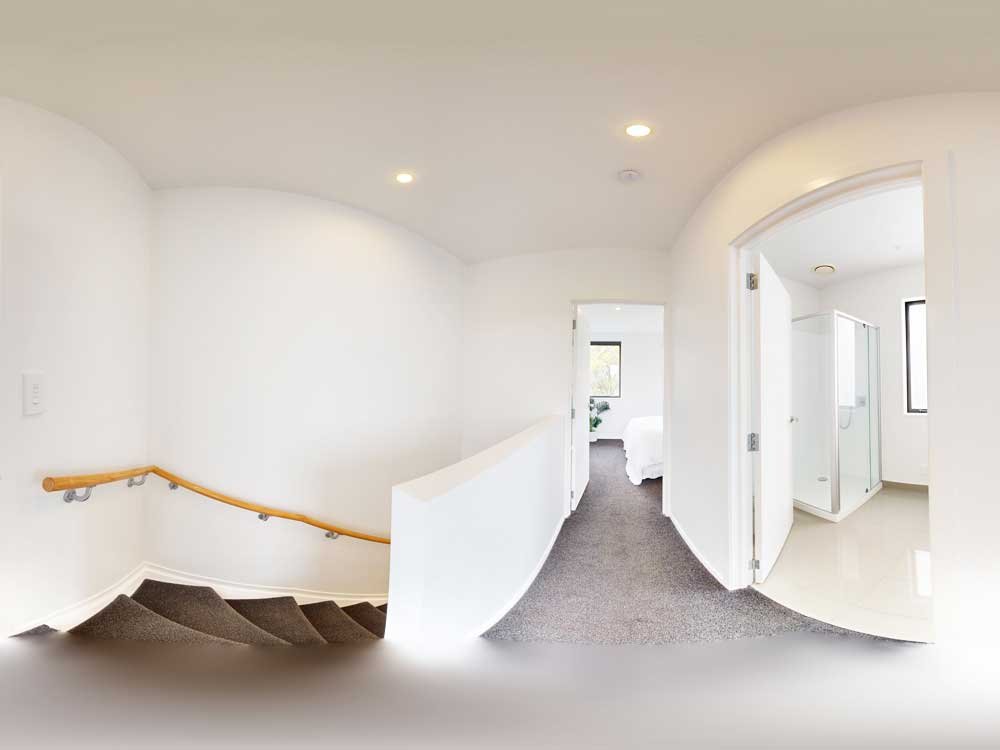
Shoot a bathroom and there you are in the mirror. We fix that with careful camera reflection removal. Mirrors and glass surfaces are cleaned until they’re reflection-free. The photographer is taken out of every shiny spot. The camera disappears from reflective details without losing the shine. That shine is what makes them look real. This panorama retouching leaves reflection-free panoramic images, every time.
- Remove camera reflections
- Clean mirrors and glass surfaces
- Hide photographer visibility
- Retouch reflective interior details
- Reflection-free panoramic images
Panorama Rotation and Precision Cropping
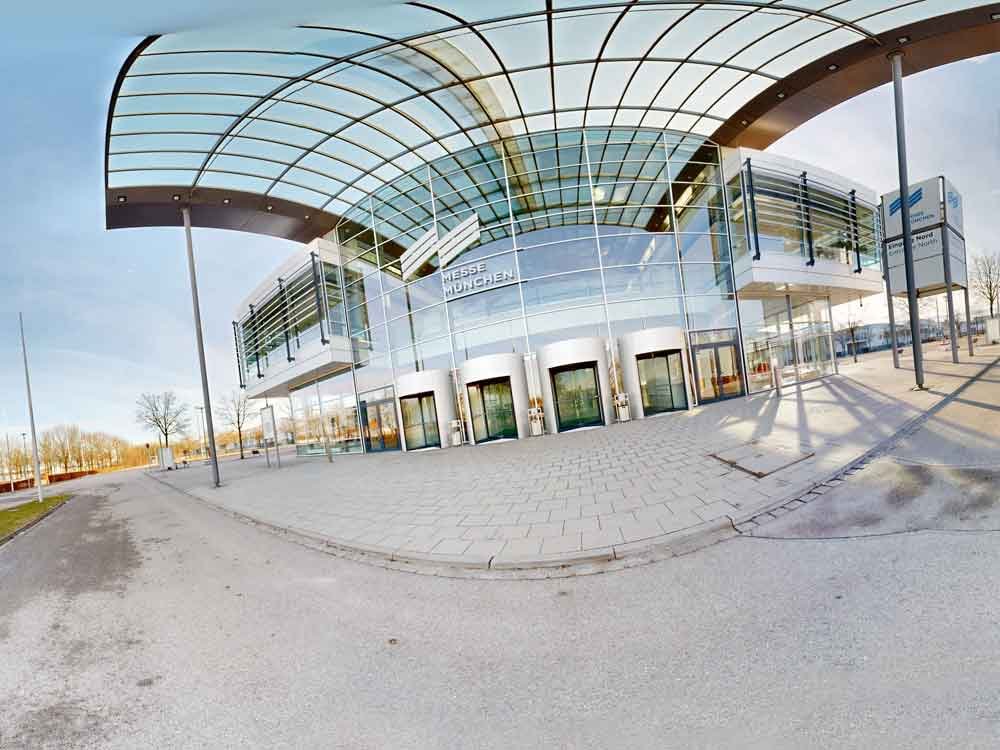
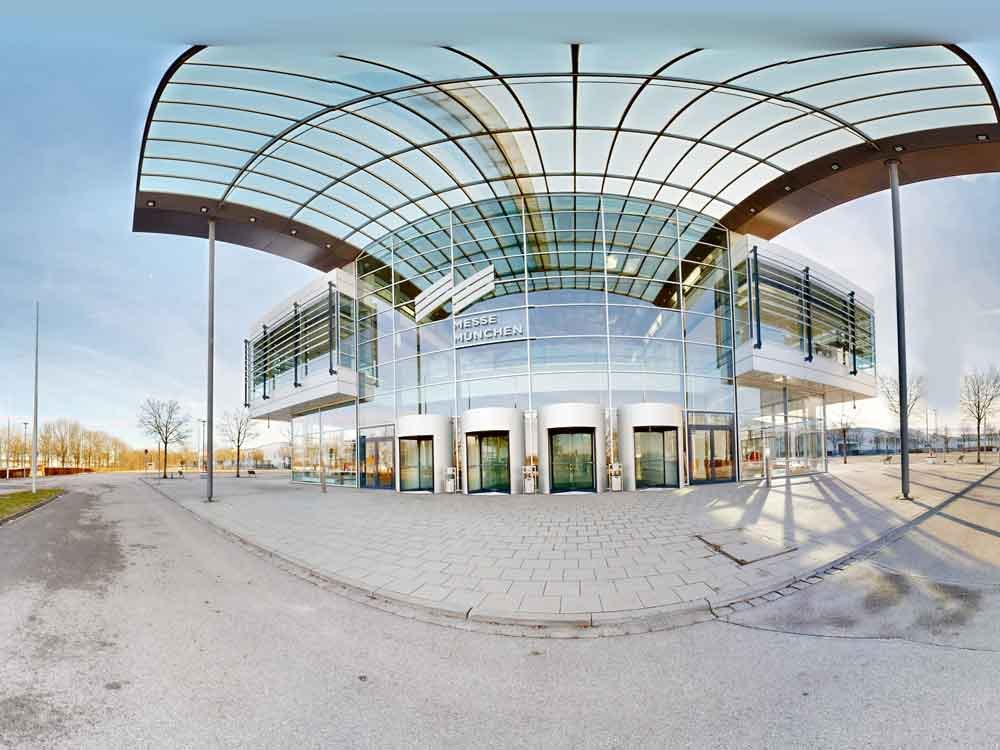
A tilted horizon makes a tour feel seasick. We fix the frame first. Panorama frames are rotated until they sit level, with uneven edges cropped clean. Equirectangular panorama views are aligned with care. Spherical panorama files are prepped so the stitcher takes them without complaint. It works for any 360 panorama image. The output is clean, properly framed, and accurate.
- Rotate panorama frames accurately
- Crop uneven image edges
- Align equirectangular panorama views
- Prepare spherical panorama files
- Clean, properly framed output
White Balance and Temperature Tuning
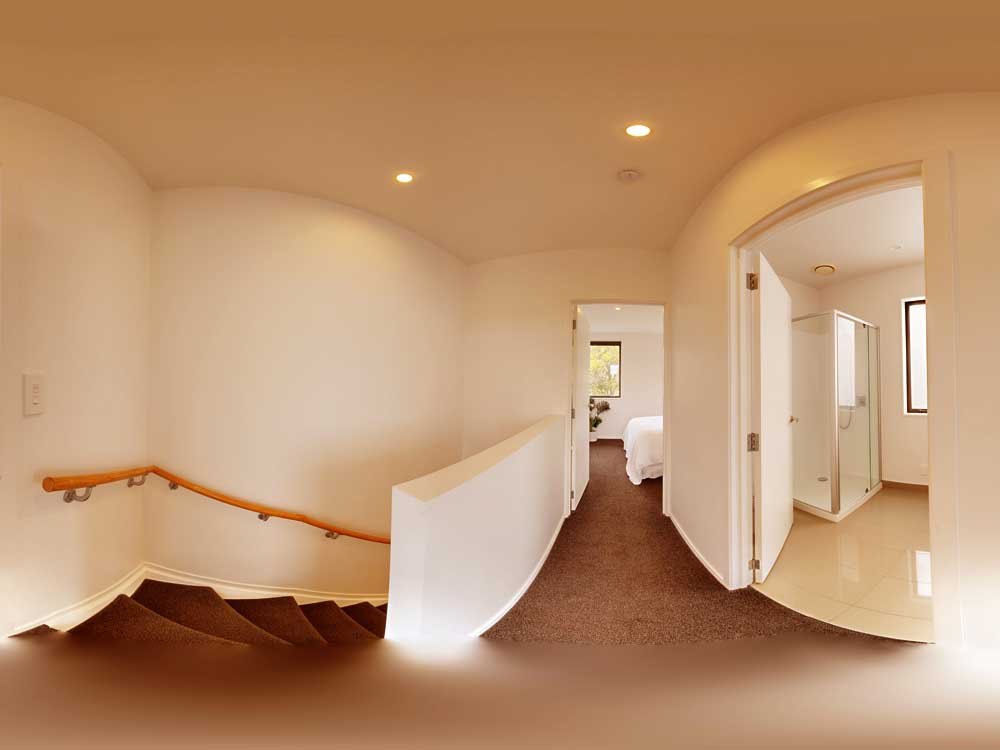
Mixed lighting can turn one room three different colors. We handle white balance correction across frames. Warm and cool tones are tuned until they match. Temperature is balanced so it reads even from one shot to the next. Frame-to-frame color stays consistent throughout. White balance and color temperature correction are handled carefully. The output is natural, accurate panorama color from start to finish.
- Correct white balance issues
- Tune warm and cool tones
- Balance mixed lighting temperature
- Create consistent frame color
- Natural, accurate panorama output
Grass Enhancement and Lawn Retouching
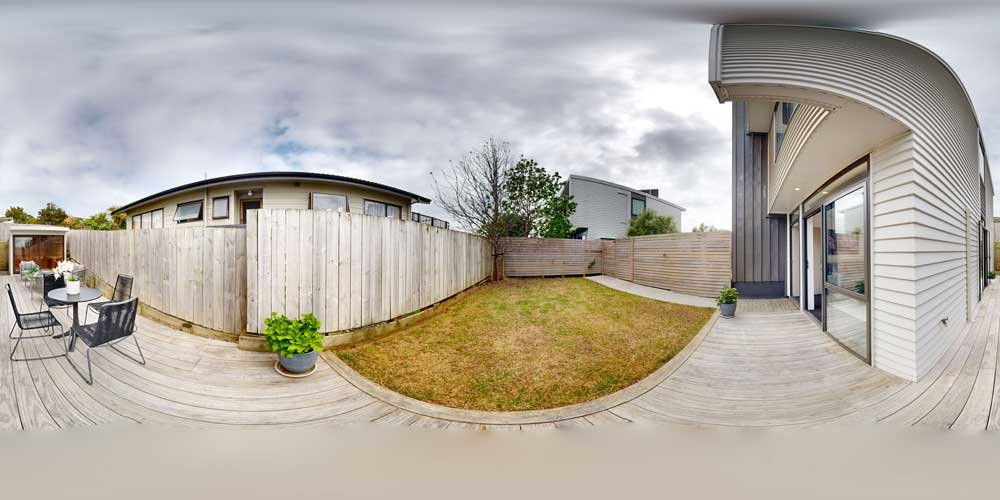
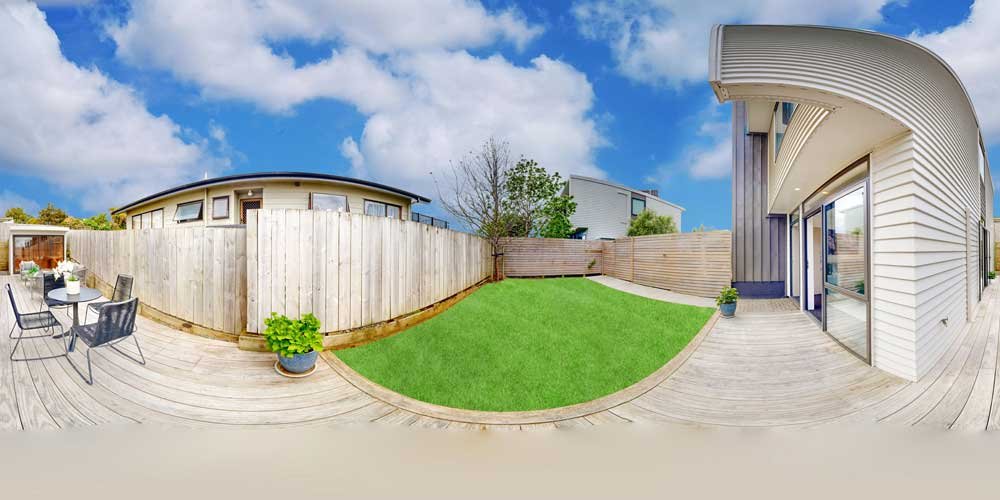
A patchy lawn drags down great curb appeal. We bring it back. Dull grass is revived naturally, and thin sections are retouched until they read full. The green tones stay believable, never neon. The exteriors that frame your property come back to life. The result is enhanced grass that looks real. Buyers respond to polished real estate outdoor frames.
- Enhance dull grass areas
- Retouch patchy lawn sections
- Create natural green tones
- Improve exterior curb appeal
- Polished real estate outdoor frames
Tripod and Camera Equipment Removal
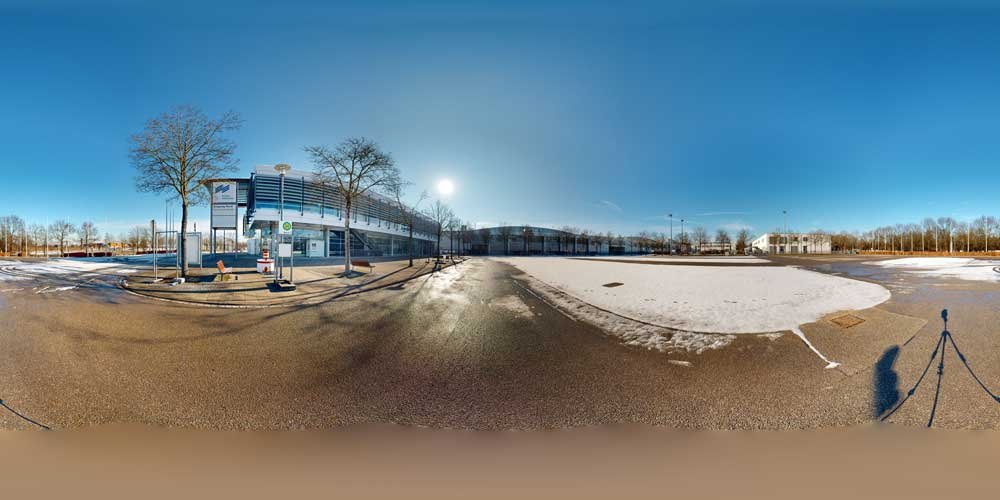
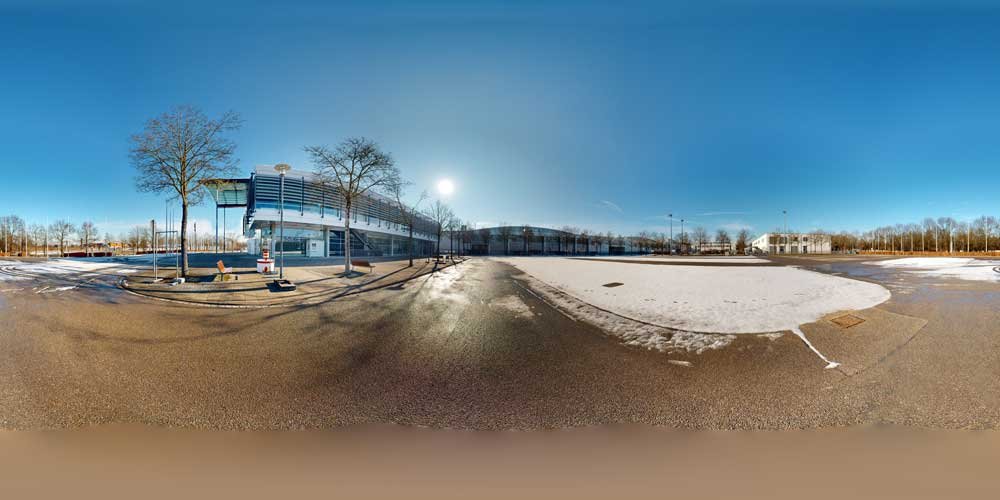
The tripod always lands right in the nadir. We make it disappear. The tripod is removed from your 360 photo cleanly. Equipment marks come off the floor. The surface underneath is patched so it matches the rest. The nadir at the bottom of every 360 frame is retouched. It’s careful object removal, never a sloppy patch. This panorama retouching delivers clean, professional 360 output.
- Remove tripod from 360 photo
- Clean camera equipment marks
- Patch floor under tripod
- Retouch nadir bottom areas
- Clean, professional 360 output
Why Panorama Teams Choose Clipping Photo Experts for Pre-Stitch Prep
We’re not generalists who dabble in panoramas. Source frames are prepped all day, by hand. Our panorama retouching serves teams that can’t afford to miss a deadline. Here’s what keeps them coming back.
Stronger Visual Impact for Listings and Marketing
Clean, well-balanced panoramas hold viewer attention longer and present properties, spaces, and products more compellingly.
Time Savings for Photographers and Agencies
Offloading stitching and retouching frees your shooting and account management time without sacrificing output quality.
Bulk Capability Without Quality Drop
Our team scales with your workload. Whether you send 10 panoramas or 500 in a week, the editing standard stays the same.
100% Manual, Pixel-Level Editing
Every frame gets hand-drawn, pixel-level attention. No auto sliders, just careful manual retouching done properly.
Consistent Style Across Every Batch
We match a reference look across an entire project so every panorama in your delivery set feels like it belongs together.
360 and Virtual Tour Ready Output
We deliver files formatted correctly for major tour platforms so you can upload immediately without additional processing.
More Professional Brand Presentation
Consistently retouched images strengthen your portfolio and give clients a reason to return and refer.
For Booking : +88 01981-449221
We Are Available 24 Hours
Panorama Professionals Who Outsource Their Source-Frame Prep
You shoot all day. Who’s prepping the frames all night? These are the pros who hand that part to us. It frees them to keep their cameras working. From everyday listings to luxury yachts, here’s who trusts our real estate panorama photo editing services.
Real Estate
Matterport Providers
Yacht, & Boat
Hotel & Resort
Commercial
Architecture
Real Estate Photographers & Listing Media Companies
You’re shooting high-volume listing panoramas against tight MLS deadlines. Our real estate panorama editing turns frames around overnight. We send back consistent, agent-ready quality every time. It scales right alongside your seasonal demand. That’s real estate photo editing built for the rush.
- High-volume listing panoramas
- Tight MLS deadlines
- Stitch-ready frames overnight
- Consistent agent-ready quality
- Scales with seasonal demand
360° Virtual Tour & Matterport Providers
Clean tours mean fewer reshoots. Our 360 photo editing service delivers seamless walkthrough transitions and even exposure between scans. We handle multi-property batches without slowing down. The payoff lands where it counts. You get faster tour delivery cycles that keep your pipeline moving.
- Clean tours, fewer reshoots
- Seamless walkthrough transitions
- Even exposure between scans
- Multi-property batch handling
- Faster tour delivery cycles
Yacht, Marine & Boat Photographers
Tight cabins and shiny decks are tricky to shoot. We handle both. Our panoramic photo editing services return clean cabin and deck panoramas with careful reflective-surface cleanup. Water is balanced against sky, and cramped interior spaces are worked with patience. The result is charter listing visuals that actually sell the vessel.
- Cabin and deck panoramas
- Reflective surface cleanup
- Water and sky balancing
- Tight interior spaces handled
- Charter listing visuals
Hospitality, Hotel & Vacation Rental Photographers
Rooms should feel inviting, not flat. Our panoramic photo editing services deliver bright, welcoming exposure and brand-consistent property color. Airbnb-ready frames are prepped fast, with resort and suite sets handled in bulk. That’s hotel photo editing and Airbnb photo editing that helps fill bookings.
- Inviting room panoramas
- Bright, welcoming exposure
- Brand-consistent property color
- Airbnb-ready frame prep
- Resort and suite sets
Retail, Showroom & eCommerce Space Photographers
Store walkthroughs need even light and clean brand spaces. That’s what our panoramic photo editing services deliver. We prep store and showroom walkthroughs, automotive showroom 360s, and brand-space presentation frames. eCommerce 360 product spaces are covered too. That’s automotive photo editing and even-lit retail interiors under one roof.
- Store and showroom walkthroughs
- Automotive showroom 360s
- Brand-space presentation frames
- eCommerce 360 product spaces
- Even-lit retail interiors
Architecture & Interior Photography Studios
Your portfolio demands true-to-spec material color and detail-faithful interior frames. Our panoramic photo editing services hit design-portfolio panorama quality on every set. We hold premium presentation standards throughout. The work holds up to award submissions. This is architectural photo editing and interior photo editing done with real care.
- Design-portfolio panorama quality
- True-to-spec material color
- Detail-faithful interior frames
- Premium presentation standards
- Award-submission-ready output
Pre-Stitch Retouching Outsourced Specialists vs In-House Editing
When you’re producing panoramas at volume, the pre-stitch prep is where quality is won or lost and doing it in-house quietly eats your team’s hours. Outsourcing to specialists means pixel-perfect prep, consistent results across every angle, and overnight turnaround that scales on demand no extra salaries or overhead. Here’s how the two compare.
| Factor | Outsourced Specialists | In-House Editing |
|---|---|---|
| Quality | Pixel-level, manual prep | Varies by editor skill |
| Cross-frame consistency | Even across all angles | Drifts on long jobs |
| Complex-shot handling | Built for hard frames | Slows your whole day |
| Turnaround | Overnight, 24-hour finish | Limited by your hours |
| Scalability | Bulk capacity on demand | Capped by headcount |
| Revisions | Unlimited until right | Eats your own time |
| File security | NDA, confidential handling | In-house, but on you |
| Cost | Per-frame, no hires | Salaries plus overhead |
| Best use cases | High-volume, multi-angle | One-off quick fixes |
Free Trial: Test Our Quality Before You Commit
Send us 3–5 panorama images. We will stitch and retouch them and return the edited files so you can compare the result directly with your current output. No payment, no long-term obligation.
Send your sample files → or Request a quote with your project details →
Panorama Retouching Services & Pricing
Panorama stitching and retouching is not a flat-rate service. The cost of each project depends on real variables: source frame count, stitch complexity, retouching depth, and output requirements. Below are our three typical pricing paths.
Essential Panorama Retouching Service
$4.99/Image
Rotate & Crop
Stitch Alignment
Line Straightening
Lens Correction
Edge Correction
Brightness & Contrast
Basic Color Correction
White Balance
Professional Panorama Retouching Service
$6.99/Image
Includes everything in Basic +
Spot & Shadow Removal
Dust Spot Cleanup
Wire Removal
Tone Refinement
Selective Color Tuning
Levels & Curves
Image Sharpening
Noise Reduction
Blur Reduction
Advanced Panorama Finishing Service
$7.99/Image
Includes everything in Standard +
Tripod Removal
Camera Reflection Fix
Flash Reflection Fix
Window Pull
Glass Clarity
Background Replacement
Sky Replacement
TV Screen Replacement
Area Reconstruction (Missing parts fix)

Easy process, clear results.
How We Work
Want a simple way to test our panorama retouching before you commit? From free trial to final delivery, it’s just four easy steps. We make it simple, fast, and safe to outsource panorama editing services. Here’s how it works:
Get a Free Trial
Not sure if our panorama retouching service is right for you? Start with a free trial first.
Send a few panoramas. We edit them. You review the results for free. Your trial includes the same manual retouching, stitch cleanup, and in-house attention we apply to every paid project.

Approve and Place Order
If you like the sample, approve it and share your project details. We follow the same quality standard, workflow, and finishing approach on every image.
Once you approve the style, we document your preferences internally so every future panorama delivery matches the same polished look closely.
Upload Your Images
Upload JPG, PNG, TIFF, PSD, or RAW files using our upload link, FTP, or cloud folder. Drop them in, and we handle the rest.
We support batch uploads and structured folders. That keeps production moving for real estate, architecture, hospitality, and 360 tour teams sending volume every week.
Get images & Maximize profit
Better panorama images attract more attention, create stronger first impressions, and help listings perform better.
We send back finished panoramas ready for delivery. Clean, consistent images help your listings look more professional, build trust faster, and support better results.

Frequently Asked Questions
Need Help?
What files do you need for panorama image stitching?
We accept RAW, JPEG, and TIFF files. Please provide full bracketed sequences (3–7 images per angle), including all exposures for HDR or window pulls.
Files can be shared via Google Drive, Dropbox, or WeTransfer. We can also follow your preferred naming and folder structure if needed.
Can you fix seams, ghosting, and parallax errors?
Yes. We manually correct seam lines, remove ghosting from moving objects, and fix parallax issues to ensure a clean and natural panorama.
Do you offer window pulls and sky replacement?
Yes. We blend interior and window exposures for natural-looking results and replace skies with realistic ones that match the scene’s lighting.
Can you remove tripods, wires, reflections, and unwanted objects?
Yes. We remove unwanted elements and clean reflections using manual retouching to ensure a natural, seamless result.
What file formats do you deliver?
We deliver JPEG, TIFF, PNG, and PSD files, including equirectangular formats for virtual tours. We can also match your required resolution, DPI, and color profile.
How fast is your turnaround time?
Standard delivery is 24–48 hours. For larger or complex projects, timing is confirmed in advance. Rush delivery is available on request.
Can you handle bulk panorama editing projects?
Yes. We handle high-volume projects with consistent quality and offer dedicated support for ongoing work.
Do you offer a free trial?
Yes. Send 2–3 images, and we’ll edit them for free so you can review our quality before placing an order.
Can you match our preferred editing style?
Yes. Share a reference image, and we’ll match the style and keep it consistent for future projects.