
Image Masking Service for Clean Hair, Fur, Glass & Product Cutouts
Need image cutouts that keep every soft edge intact?
Get precise, non-destructive Photoshop image masking service for hair, fur, fabric, glass, smoke, and soft edges. We separate complex subjects from any background while keeping fine details intact and fully editable.
No rough cutouts. No damaged pixels. Just clean, natural image masking done by skilled Photoshop editors.
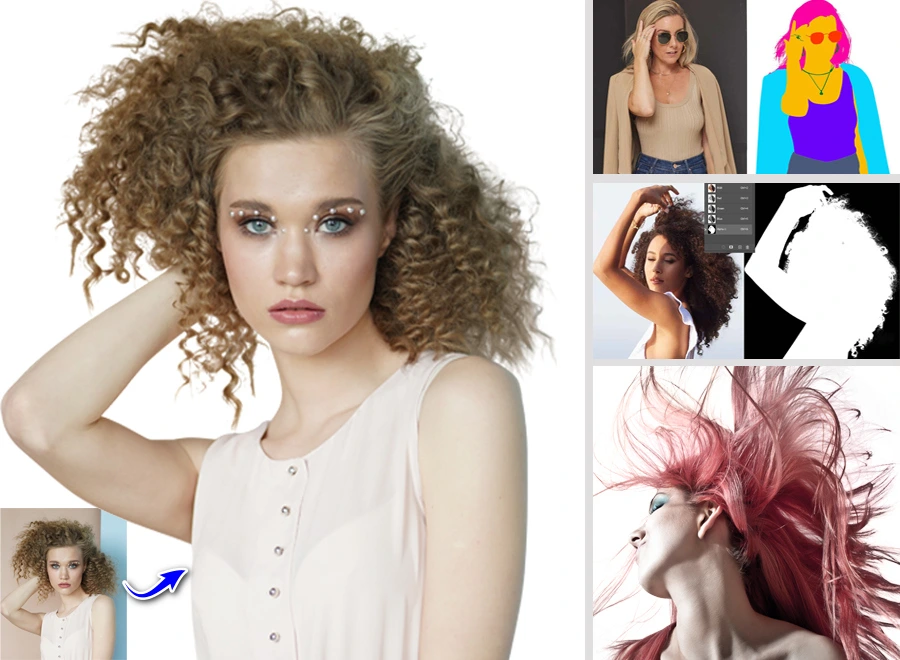
1100 / Day
Get large number of image masking service
12 Hours Delivery
Images will be delivered within 12 hours
Unlimited revisions
Until you’re satisfied — request within 14 days
Inhouse Team
We have In house 110 experts masking designers.
Image Masking Service - A Simple Transform Of Background
Flaws like rough edges, halos, and chopped-off hair can ruin an otherwise great product photo. Don’t settle for anything less than perfect our 100% manual Photoshop masking ensures your images stand out.
Every image is edited by our expert 24/7 in-house team with an obsessive focus on detail. We take care of everything from complex hair masking and alpha-channel edits to transparent object and ghost mannequin masking.
The result? Pixel-perfect, background-ready images with flawless edges and true transparency. You’ll see zero halos and need no extra cleanup. Our quick turnaround means you never miss a deadline, and your photos will come back crisp, clean, and conversion-ready for ads, e-commerce, or your website. Trust our experts for effortless perfection on every platform.
Pixel-safe subject masking
Flexible, always-editable masking
Seamless cutouts
Crisp & Perfectly masked edges
Natural soft-edge subject
Experienced Professionals

Pixel-Perfect Image masking service categories we offer
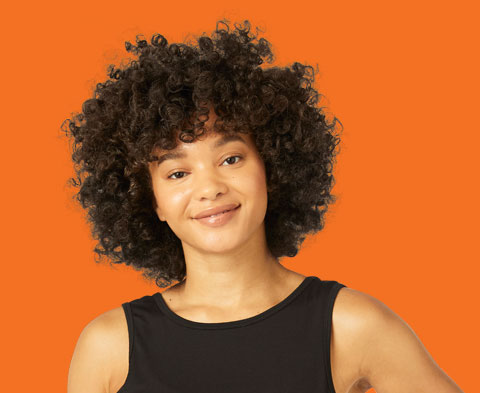
From basic layer masks to advanced image masking, we cover every category you need for pixel-perfect results. All your masking needs, handled under one roof.
Layer Masking Service for Non-Destructive Image Editing
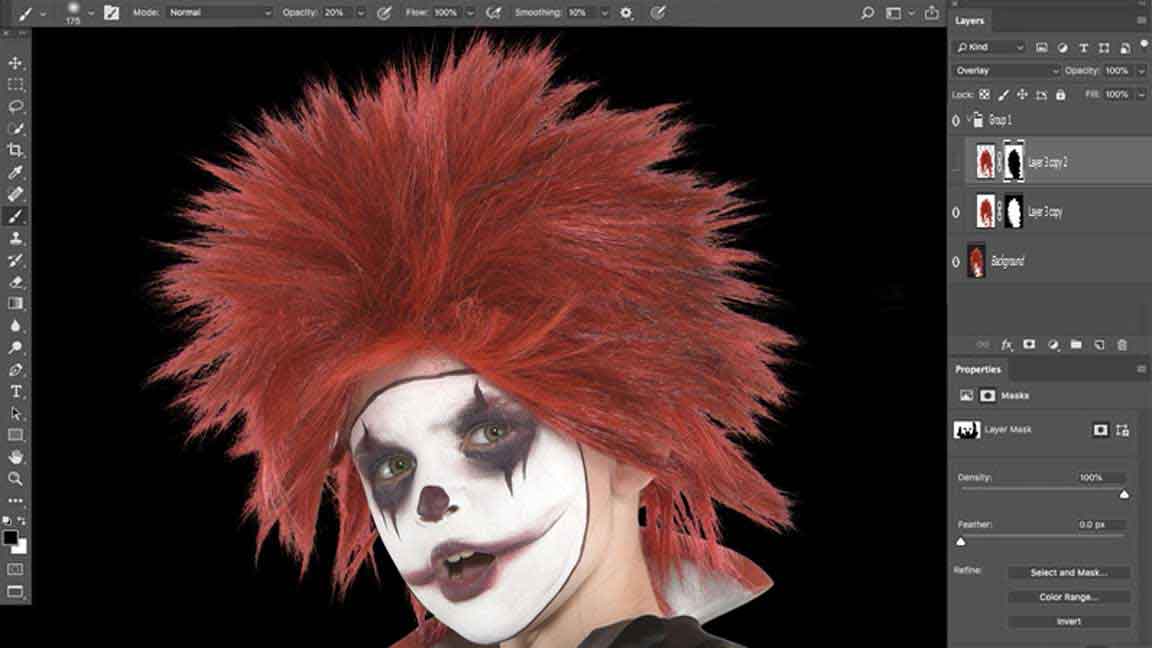
We create a layer mask in Photoshop so you can hide or show parts of the photo without damaging it.
Think of a layer mask like a light switch for parts of your photo, on or off, without breaking anything.
This keeps every change safe, clean, and easy to undo. We often copy layer masks and reuse them across multiple versions. You can test new colors or backgrounds without re-masking every image.
Alpha Channel Masking for Soft Edges and Fine Details
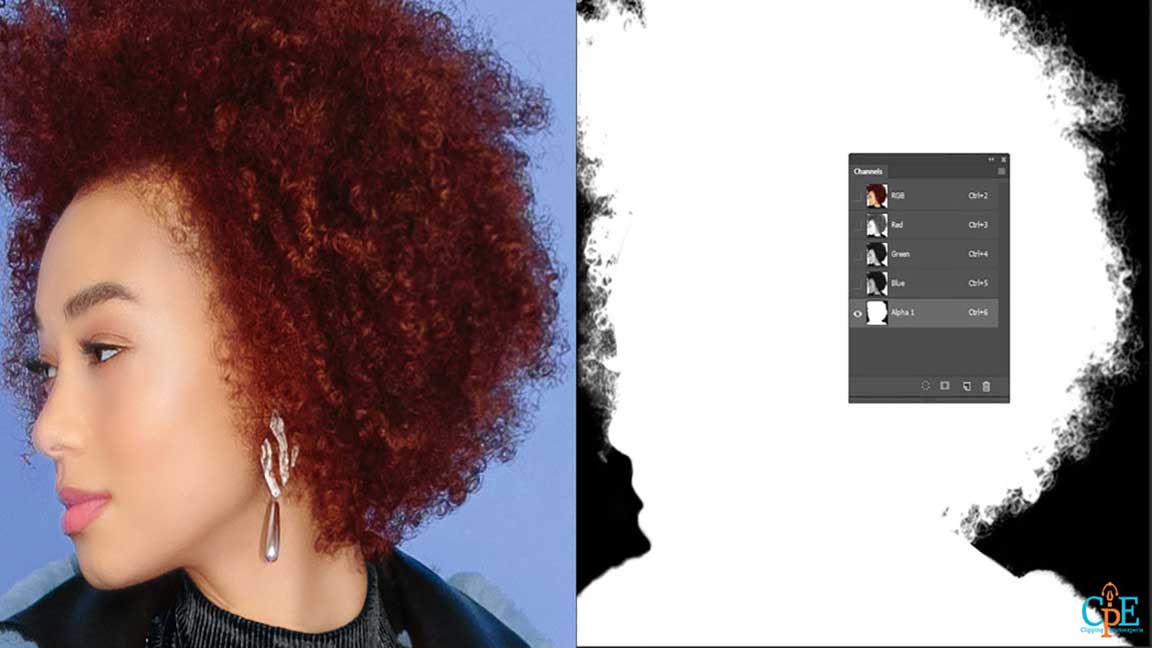
Soft edges should melt into the background, not look like they were cut with scissors. For tricky soft edges, we create a clipping mask in Photoshop using channels. Then we refine with select and mask. Every strand looks natural.
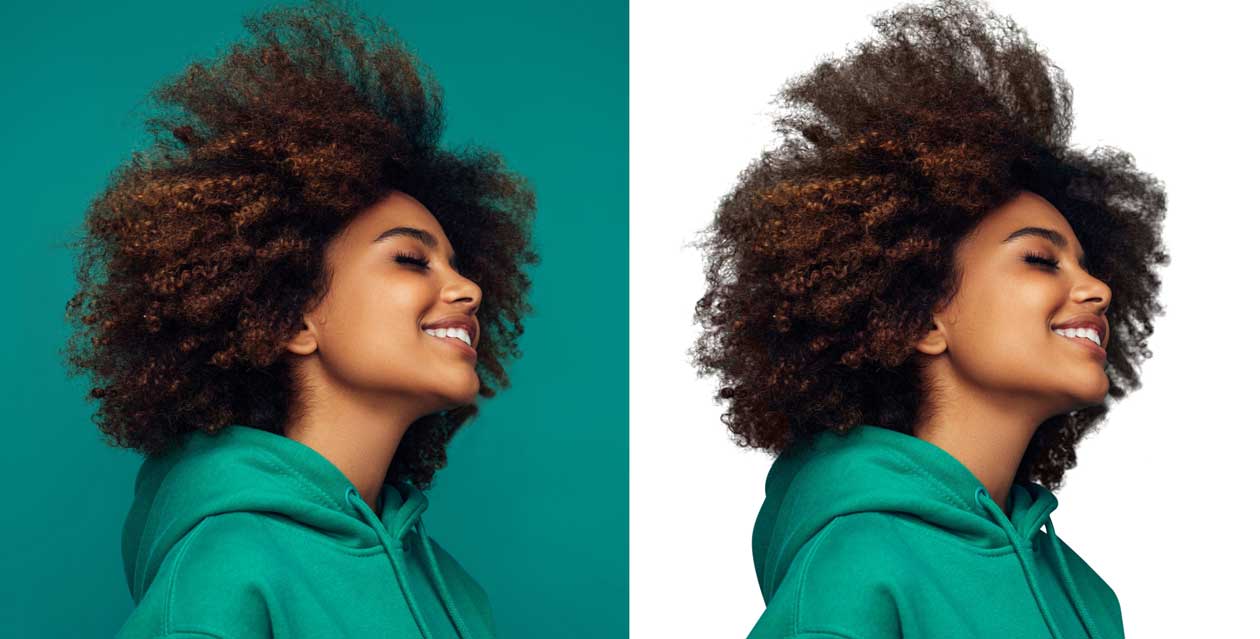
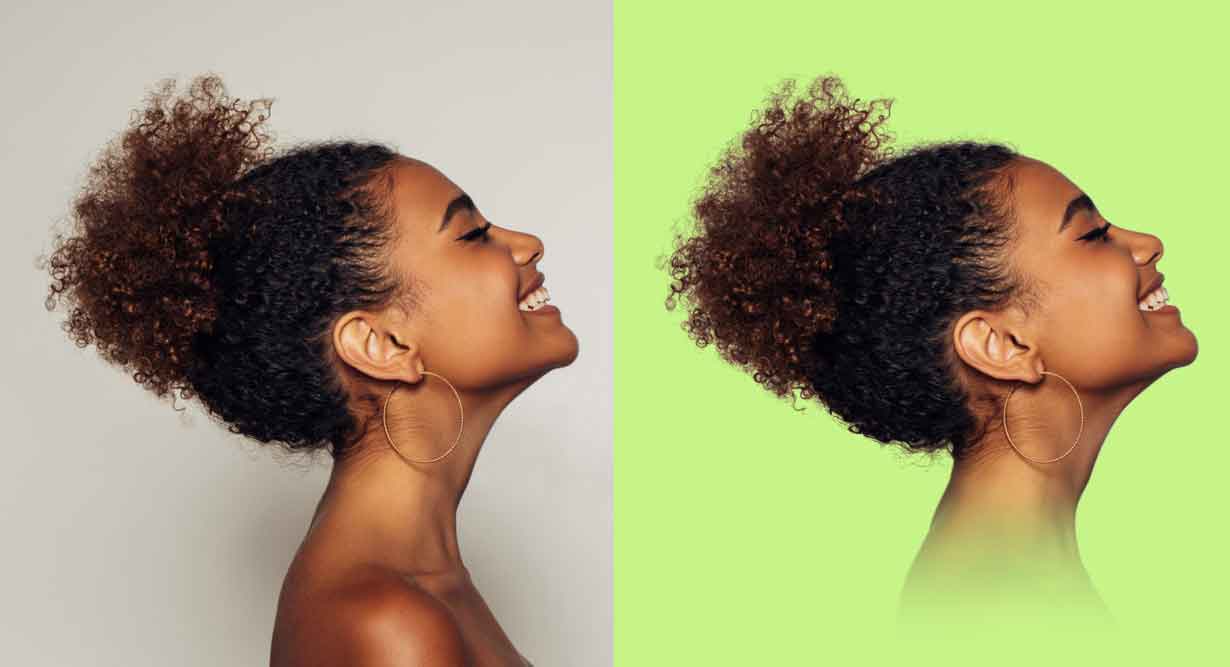
Alpha channel masking is our go-to for hair, fur, smoke, lace, and semi-transparent pixels. It handles the hard stuff that simple clipping paths cannot touch. Tired of hair that looks fake after masking? We zoom in and mask every tiny hair so it looks natural on any background.

Transparent Object Masking for Glass, Water, and Shiny Surfaces
Glass and water should look crystal clear, not chopped out like a sticker. We handle transparent object masking for glass bottles, water, screens, and shiny surfaces using advanced techniques.
We mix a transparency mask with a gradient mask in Photoshop. That keeps clean edges but still shows natural light and reflections on glass and water. This is tricky work. Most editors either dull the gloss or create ugly halos. We don’t.
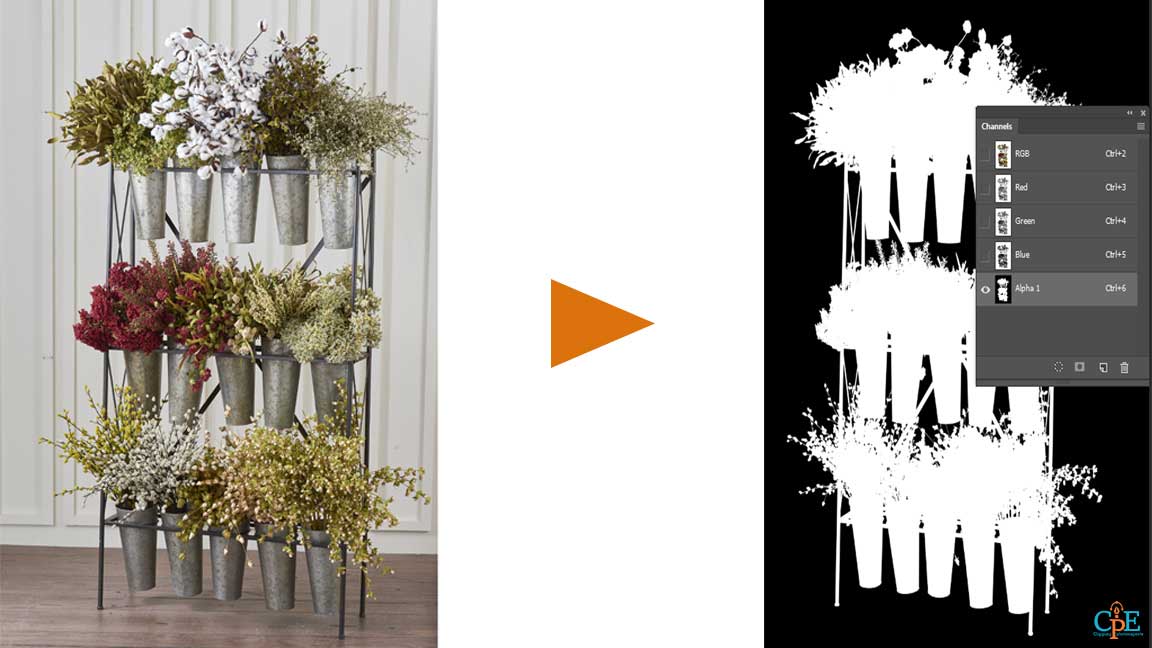
Translucent Object Masking for Fabrics, Lace, and Smoke Effects
Ever notice how lace turns blocky when masking goes wrong? Translucent fabric should float, not look like a cardboard cutout.
For lace or smoke, we combine alpha channel masking with refined channel selections and a light gradient. That keeps semi-transparent fibers and haze intact. We use the right masking tools and technique to keep texture and softness. Simple clipping paths fail here. We don’t.

Clipping Masking for Composite and Product Image Design
We use clipping mask and clipping path for compositing product photos and marketing images. From simple product cutouts to full composite layouts, our clipping masks and paths keep every image ready for design.
We know multiple tools: clipping mask in Photoshop, Illustrator, InDesign, Procreate, Canva, GIMP, and more. For product composites and ads, we use a precise clipping path for the main object. Then we add a layer mask for shadows or reflections. More control. Better results.

Color Masking for Selective Adjustments and Recoloring
Want to change product colors without reshooting every image? Color masking picks only the color you want and changes it. The rest of the image stays safe.
Instead of flat, over-edited colors, color masking keeps every fold and detail real. We often create a mask based on color ranges in Photoshop. Then we refine with layer mask and gradient mask to keep natural highlights and shadows. This works great for apparel, products, jewelry, and auto.
No Harsh Edges. Just Natural Results


Refine Edge Masking for Smooth, Natural Transitions
Tired of seeing a glow or hard outline around your products? Refine edge masking softens every border so it feels real, not chopped.
We use Photoshop’s refine edge and select and mask tools to smooth edges. They blend into new backgrounds without crunchy, jagged cutouts.
After basic masking, we run a refine edge brush around hair, fur, or detailed borders. Then we manually tweak masks on a layer for perfect blending.
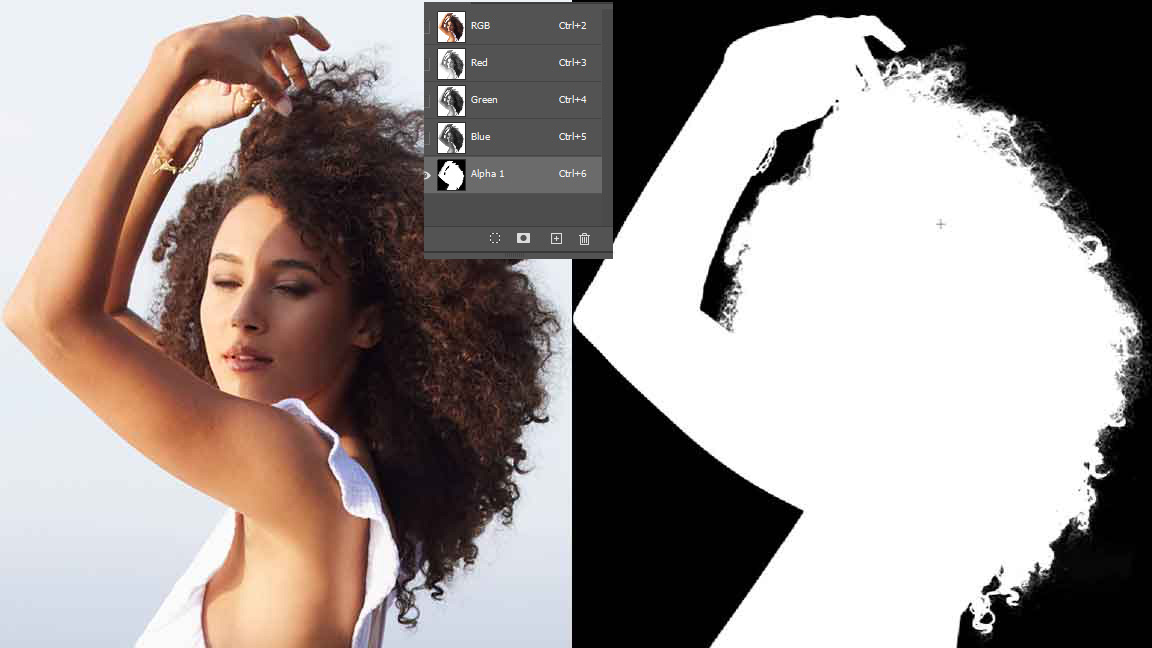
Channel Masking for High-Contrast or Complex Backgrounds
Channel masking works like a spotlight. It picks your subject out of a crowded scene. So even the most complex backgrounds become easy to edit.
When the background is busy or high-contrast, basic clipping paths fail. We use channel masking to spot strong contrast. Then we turn that into a clean clipping mask.
We test different RGB channels to find the cleanest contrast. Then we build masks from that. Less manual cleanup. Details stay intact.
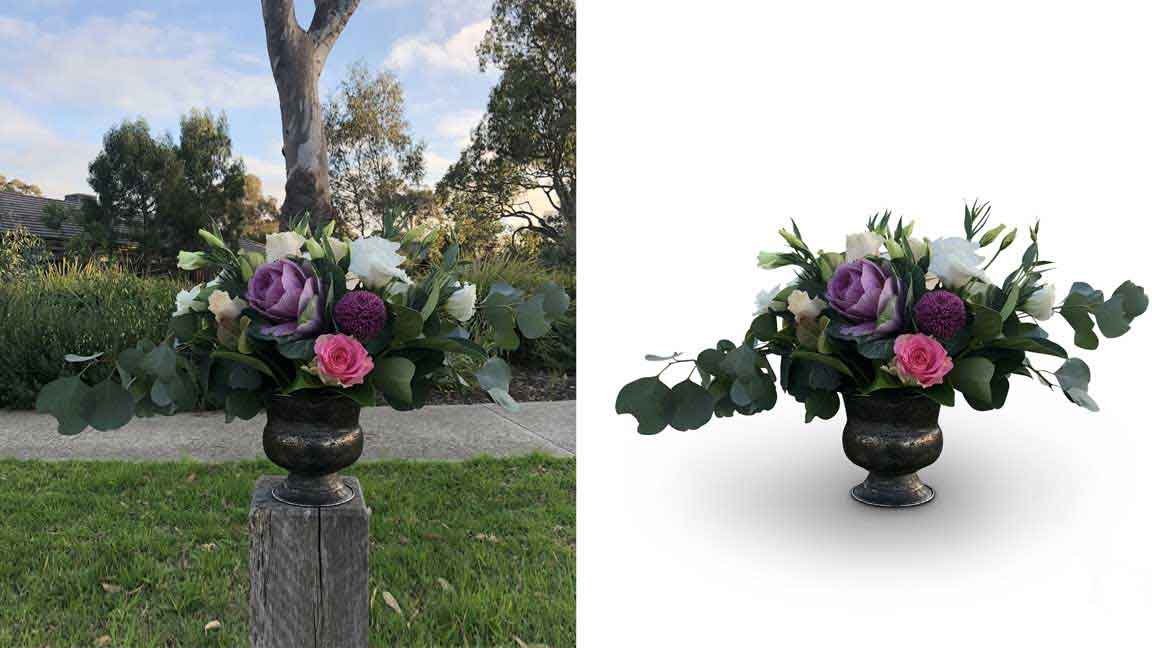
Object Masking for Complex or Irregular Image Subjects
Ever send a complex product photo and get a messy mask back? A crooked edge spoils the whole picture.
We handle object masking for irregular, detailed, or very complex subjects. Machines, jewelry, decor, mixed edges, no problem.
We carefully trace and mask every image so even odd shapes look clean. We mix quick selection or object selection with manual brush corrections on a layer mask. We never rely on the auto result alone.
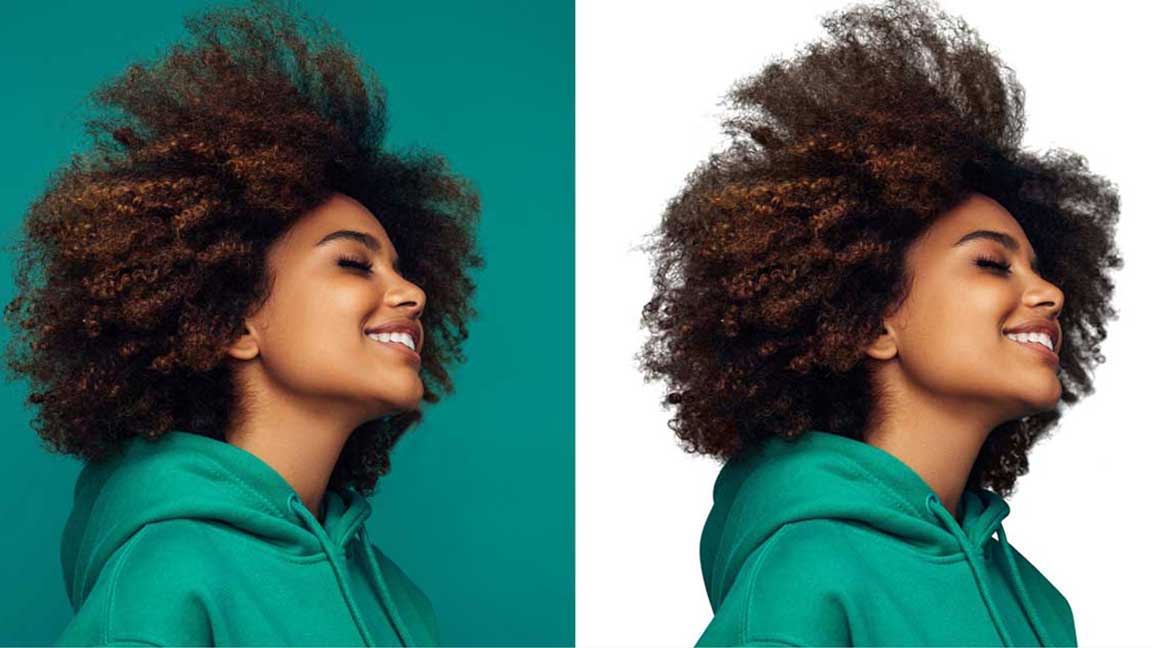
Hair and Fur Masking for Realistic, Detailed Perfect Results
Tired of hair that looks like it was cut with a knife? We zoom in and mask every tiny hair so it looks natural on any background.
Hair masking is one of the hardest problems in masking. We combine select and mask Photoshop, refine edge, and manual brush work on a layer mask. No one-click tools.
We also save reusable masks for batch images in the same shoot. That helps for high-volume orders.
Fur should still look touchable. We make sure it does.
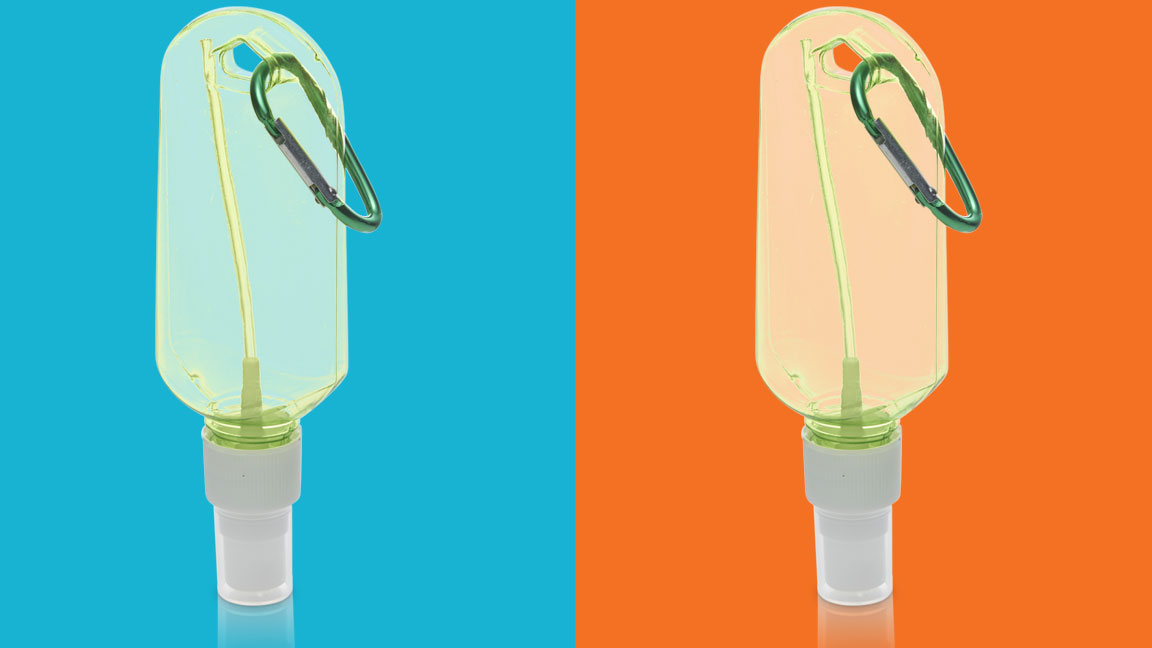
Transparency Masking for Semi-Transparent and Glossy Materials
Gloss should glow, not look pasted on. We handle semi-transparent and glossy materials like glass, shiny plastic, screens, polished metal, and glossy packaging.
We combine a transparency mask with shape mask Photoshop to keep highlight shapes accurate. Then we refine manually to avoid banding or halos. We keep every reflection believable so your products still feel premium.
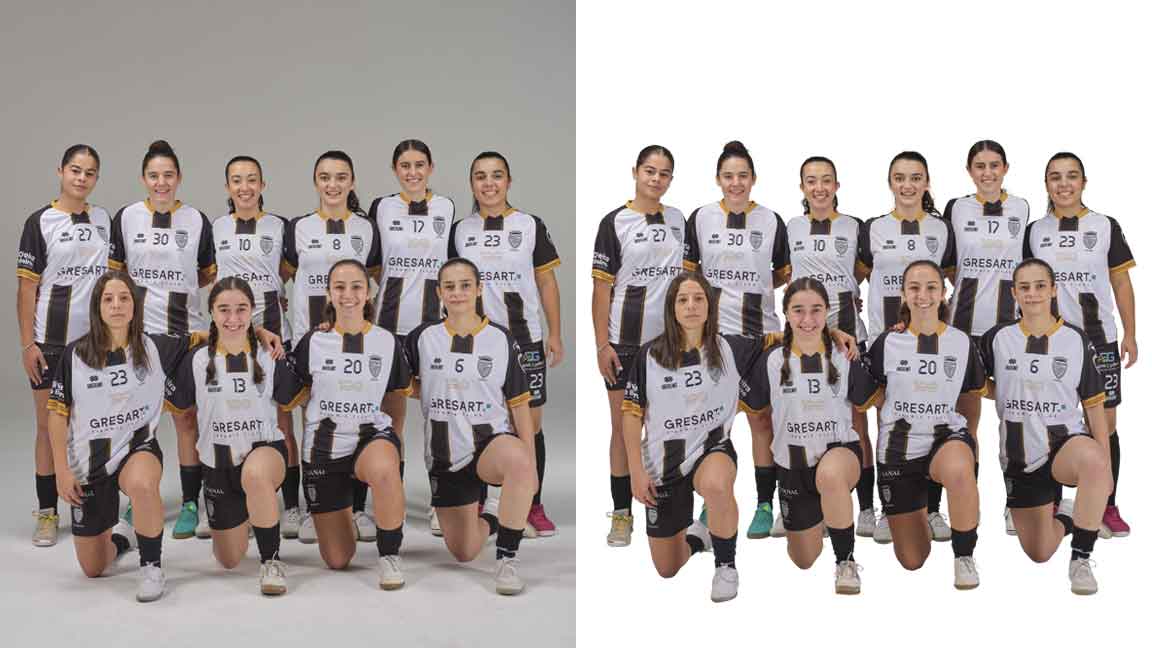
Complex or Advanced Layer Masking for Multi-Object Images
Instead of one flat cutout, advanced layer masking gives you full control over every object. So edits stay surprisingly simple, even in complex images.
We handle images with many objects, layers, and elements. For complex scenes, we put each object on its own masked layer in a PSD.
We use a mix of quick selection, object selection, and manual brushing. That builds stable masks you can reuse and tweak later.
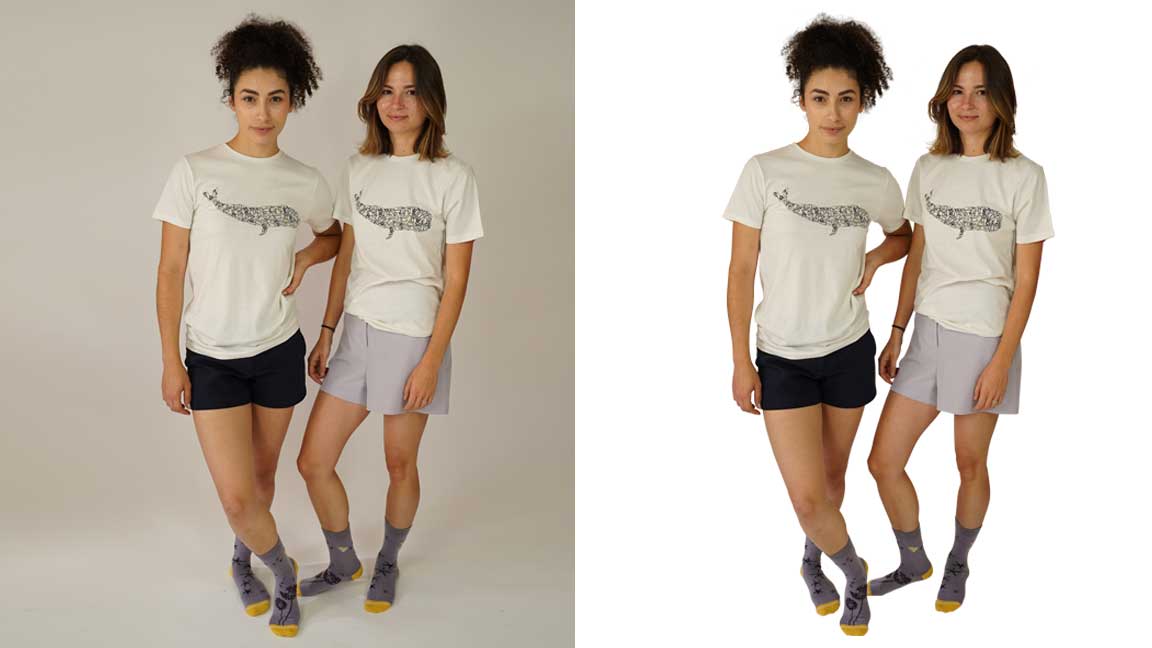
Collage Masking for Creative Image Composites
Think of collage masking as building a poster from puzzle pieces that fit perfectly. No rough edges.
We build creative composites, campaign visuals, and story-based layouts from many images. We use clipping mask, clipping path, and layer masks to blend images into one solid, clean layout.
In collage masking, we use clipping mask Photoshop for layout control. Each asset sits on its own masked layer. That makes it easy for designers to edit later in PSD files or place images in PowerPoint or InDesign. Ready to turn simple shots into bold stories?
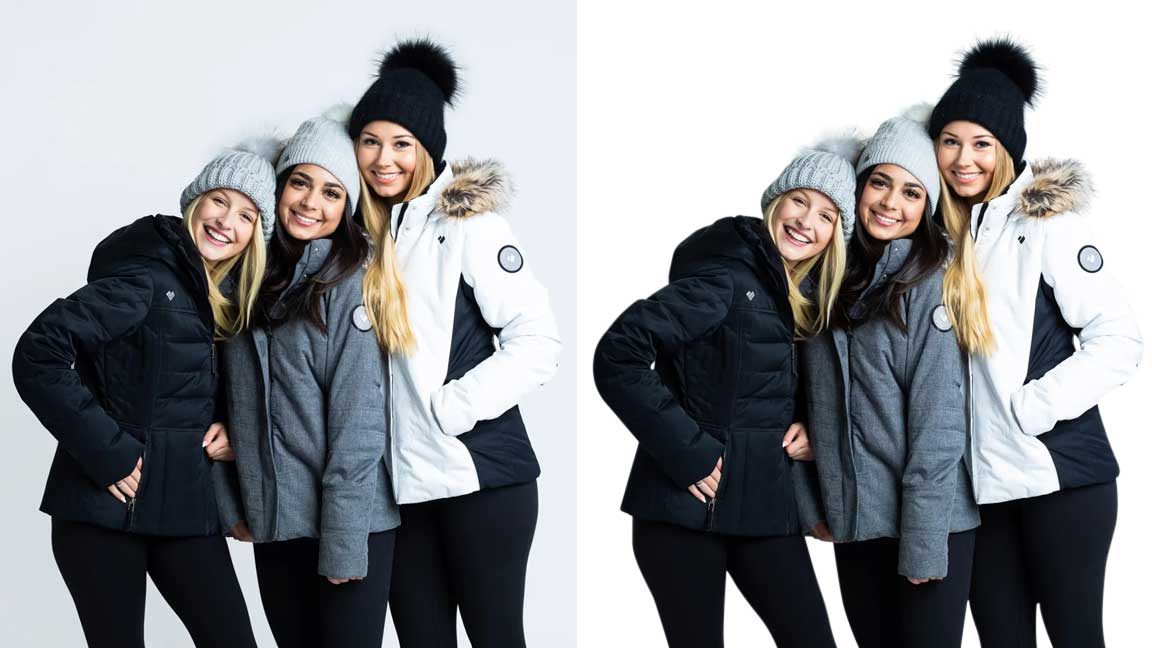
Garments or Apparel Complex Image Masking Service
Tired of clothing photos that look flat or badly cut out? Sharp garments sell more than blurry ones.
We provide apparel complex image masking for e-commerce, fashion, and clothing brands. We handle folds, textures, lace, semi-transparent fabrics, and ghost mannequin edits.
We often combine ghost mannequin editing with color masking. That lets you show multiple colorways from one base photo. We keep layers organized so future changes are quick.
Transparent & Affordable Image Masking Service Pricing
Worried that expert image masking services will cost too much? You pay per image. You get lower rates when you send more images. We keep prices fair by using our in-house team and smart workflows, not low-cost shortcuts that hurt the quality of the image.
You get studio-level masking, without studio-level pricing.
Try our free trial before you decide. We offer transparent rates, no hidden fees. You also get our 100% satisfaction guarantee and quality control. Fast turnaround time and 24/7 in-house editing team support mean you never wait long. Get a quote or start your free trial.
Basic image masking projects
$0.69/Images
Ideal For
Ideal for buyers who need clean, affordable masking for simple product photos with limited edge complexity. This tier works best when the main goal is neat background removal and consistent ecommerce presentation.
Eyeglasses
Glassware
Fringed hem clothing
Tasseled bags, jewelry
Transparent containers
Simple image masking projects
$0.99/Images
Ideal For
Ideal for images that need more care than a basic cutout but do not require heavy manual reconstruction. Choose this tier when soft edges, light transparency, or small details must stay natural.
Fur-lined boots
Opaque-vase florals
Semi-clear gemstones
Two person, hair visible
Intricate setting jewelry
Stuffed animal with smooth edges & light fur detail
Medium Image mask projects
$2.99/Image
Ideal For
Ideal for fashion, portrait, pet, and lifestyle images where edge quality directly affects the final look. This tier is best when softness, texture, fabric detail, or visible hair must be preserved.
A wedding veil
Tulle-skirt outfit
Two-person photo
Furry-edge sweater
Sheer or lacy lingerie
Stuffed animal group
Sheer curtains/drapes
A furry animal, such as a dog, cat, or hamster
Complex Image mask projects
$4.99/Image
Ideal For
Ideal for high-detail masking work where standard tools can easily damage the image. Choose this tier for premium visuals that need advanced Photoshop masking, cleaner separation, natural transparency, and careful manual edge control.
Feathers
Transparent objects
Translucent objects
Multi-colored bg
A furry Muliple animal
Multiple Fur Lined boots
Mesh surface with many holes
Plush toy group
High-precision hard masking

Easy process, clear results.
How We Work
Want a simple way to test our image masking before you commit? From free trial to final delivery, it’s just four easy steps. We make it simple, fast, and safe to outsource image masking services. Here’s how it works:
Get a Free Trial
Not sure which image masking service is right for you? Try us on a free test first.
Send a few images. We mask them. You review for free. The free trial includes the same hand-drawn/manual clipping paths and edits and 24/7 in-house editing team. Not a “lite” version.

Approve and Place Order
If you like the result, approve it and tell us your project details. You approve the sample. We follow the same standard for every image.
Once you approve a style, we create an internal style guide for your brand. Every image going forward matches that look.
Upload Your Images
Upload JPG, PNG, TIFF, PSD, or RAW with our upload link, FTP, or cloud. Drop your files in, and we take it from there.
We support batch uploads and structured folders. That speeds work for e-commerce, apparel, auto, and jewelry clients who send hundreds or thousands of images.
Get images & Maximize profit
Good images sell. Great images sell faster. Better photos mean more clicks and more sales.
We send back finished images so you can sell more and earn more. Clean, consistent images across the catalog reduce returns and increase trust.
Essential Photoshop Masking Methods we use
From quick selection to channel-based masks, we use the right Photoshop masking method for every image.
We mix several Photoshop masking tools together on each job. No single auto click. Here are the core methods:
Object Selection Tool
Refine Edge Brush Tool
Background Erase Tool
Masks Using Channels
Layer Mask Tool
Pen Tools
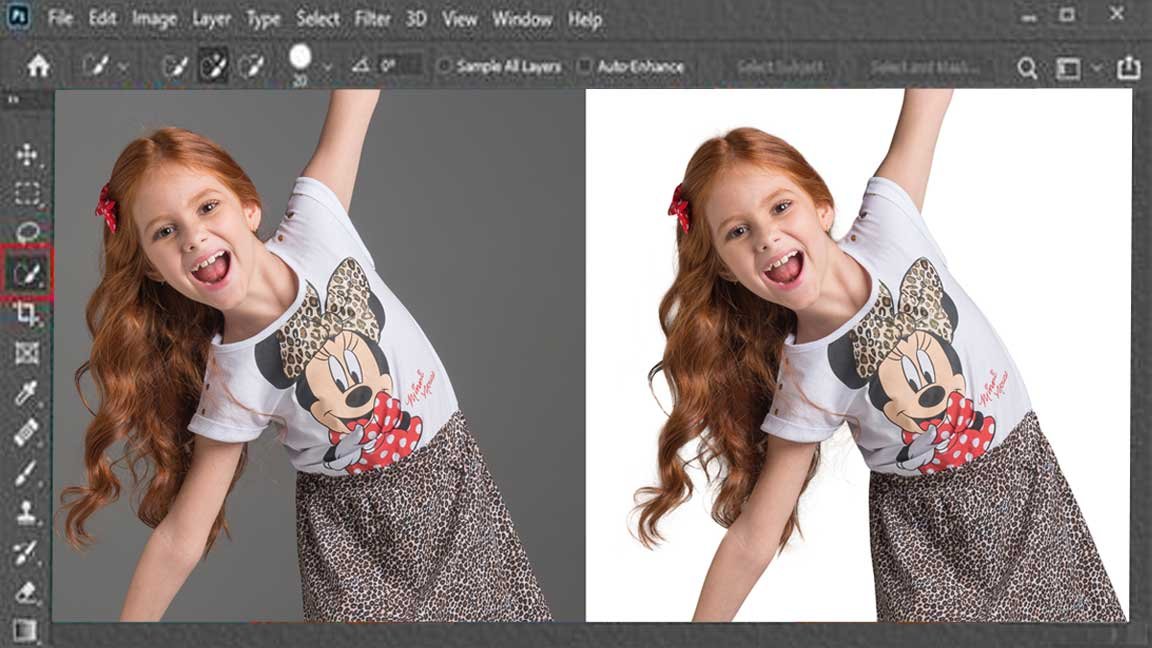
Hair Masking with Quick Selection or Object Selection Tool
Ever tried masking hair with Quick Selection and ended up with crunchy edges? We turn that into soft, natural hair that blends into any background.
We start with Quick Selection or Object Selection Tool. Then we clean each strand on a layer mask. We never rely only on Quick Selection. After that first pass, we refine edges at high zoom so hair looks natural, not jagged
Outsource Image Masking Services with Refine Edge Brush Tool
When you outsource image masking to us, we use Refine Edge Brush Tool to polish borders around hair, fur, and fine details.
Instead of rough, rushed edges, Refine Edge Brush Tool lets us smooth borders so they look natural. You can relax and focus on selling, not masking.
We often combine Refine Edge Brush Tool with a clean layer mask. We can adjust or re-tune edges later without starting over.
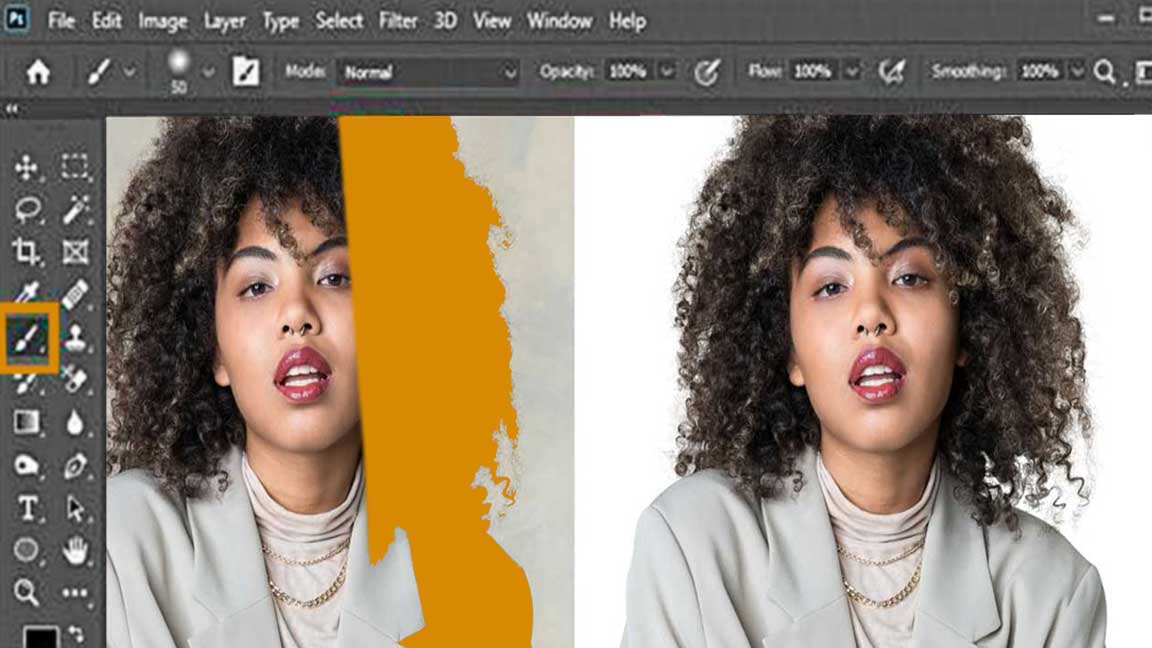

Photoshop Masking with Background Erase Tool
Ever tried Background Erase and ended up with rough, choppy edges? We use it only as a first pass. Then we polish with masking for a clean, natural result.
We use the Background Erase Tool to strip rough areas. Then we finish with clean masks for a smooth cutout image. We never finish with Background Erase alone. We always refine edges on a layer mask later. No halos. No jagged bits.
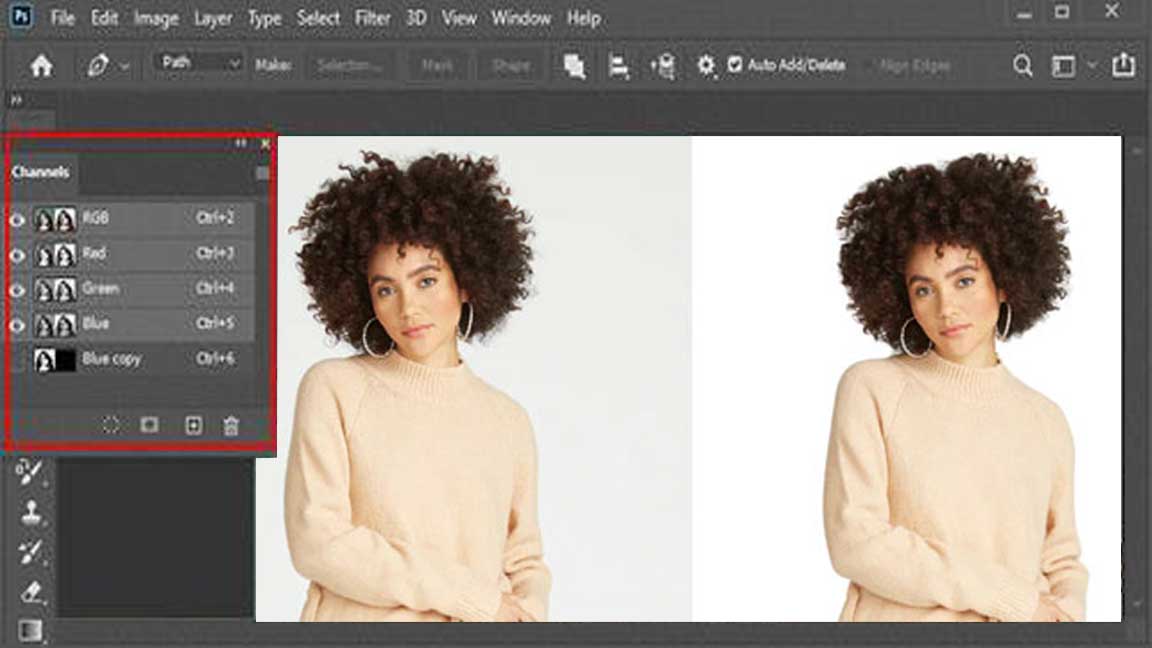
Create Clipping Masks Using Channels
Channels act like x-ray glasses for your image. We turn that hidden contrast into clipping masks that separate your subject cleanly.
We create clipping masks using channels for tricky high-contrast or detailed areas before compositing. We test different RGB channels to find the cleanest contrast. Then we build masks from that. Less manual cleanup. Details stay intact.
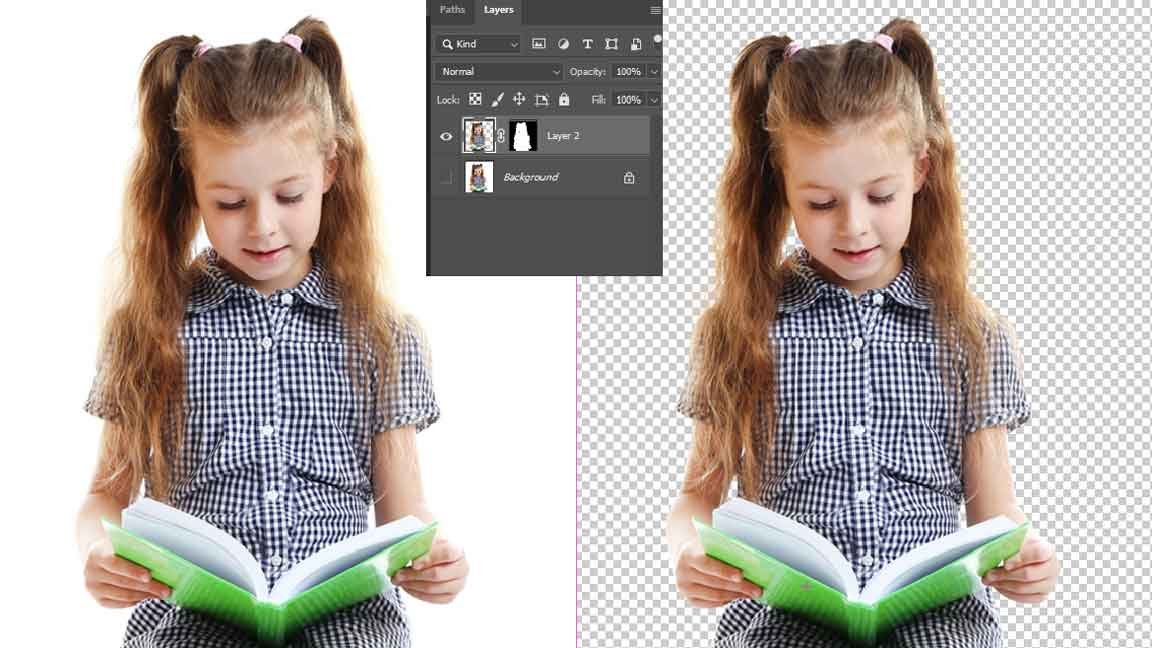
Photoshop Masking with Layer Mask Tool
Think of a layer mask like a switch. On for what you keep, off for what you hide, without harming the original image.
The layer mask tool is our core method for clean, non-destructive Photoshop masking. A layer mask lets us hide or show parts of the image without deleting anything.
We keep layer masks inside delivered PSDs. Clients or designers can tweak blending later without rebuilding the mask from scratch.
Photography Masking Using Photoshop Pen Tools
Handmade masking is like a careful brush, not a blunt blade. So every image feels natural, not cut out.
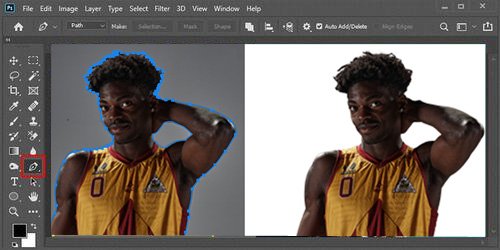
We use the Photoshop Pen tool for razor-sharp paths and precise product or subject outlines. We trace subjects by hand for perfect paths and masks.
Manual Pen tool paths give cleaner edges than auto tools. Especially for product photography masking, straight lines, and hard shapes. We combine them with masks for shadows and reflections.

Year Of Experience
Why Businesses Trust our outsource image masking services
On-Time Delivery
Deadlines aren’t suggestions. We deliver your image masking projects on time, every time no delays, no excuses.
Available Anytime
Image masking doesn’t sleep and neither do we. Our team is available 24/7 to support your projects and respond fast when it matters.
Competitive Pricing
Top-tier image masking services without overpriced nonsense. You get premium quality at competitive rates, no compromises.
No Hidden Fees
No tricks. No surprises. Just transparent pricing where you pay only what’s clearly agreed upfront.
Quality Assured
Sloppy edges don’t pass here. Every image masking project is thoroughly checked for flawless edges, natural transparency, and razor-sharp accuracy.
Client Satisfaction
We don’t guess we deliver. Your needs come first, and we produce accurate image masking that actually meets your expectations.
Your Image Rights
Your images stay 100% yours. We don’t reuse them, share them, or claim ownership period.
Unlimited Revisions
Not perfect yet? We fix it. Unlimited revisions, zero extra charges until you’re satisfied.
Image Masking Service Work Samples
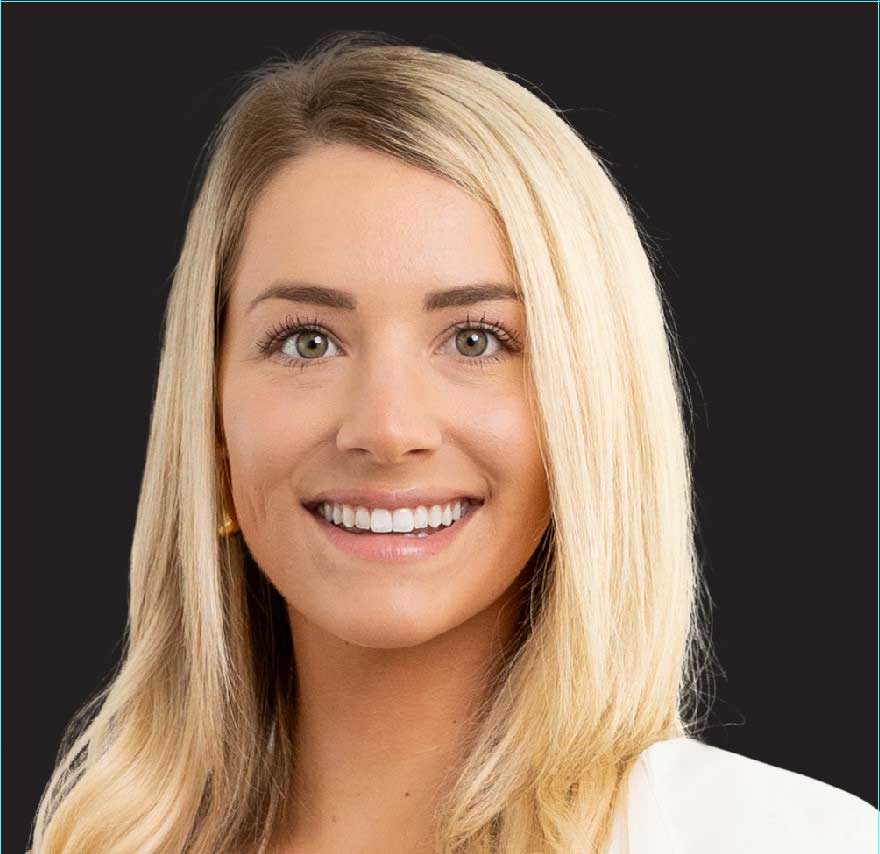
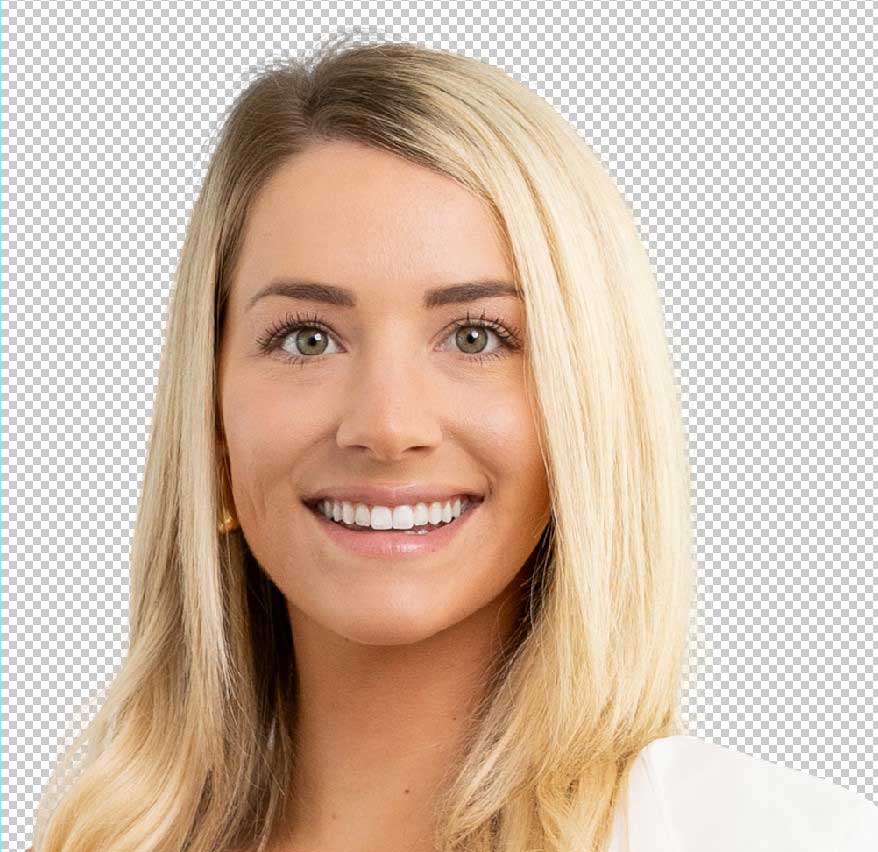
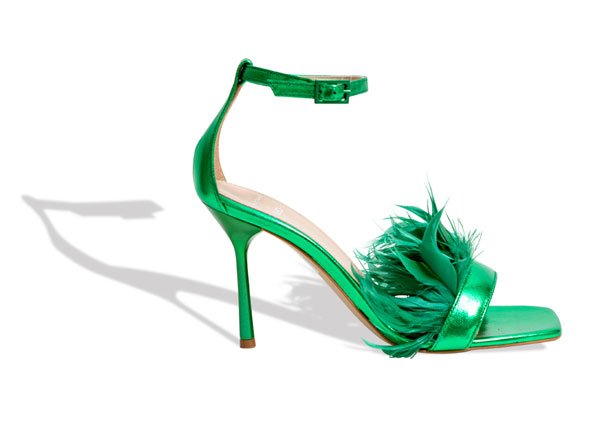
Clipping Photo Experts offer professional image masking services for intricate details like hair and fur, as well as transparent and translucent objects. Check out some of our recent masking projects.
See How We Handle Hair, Fur & Transparent Object Image Masking work samples & Portfolio →



Difference Between Clipping Path and Image Masking Service
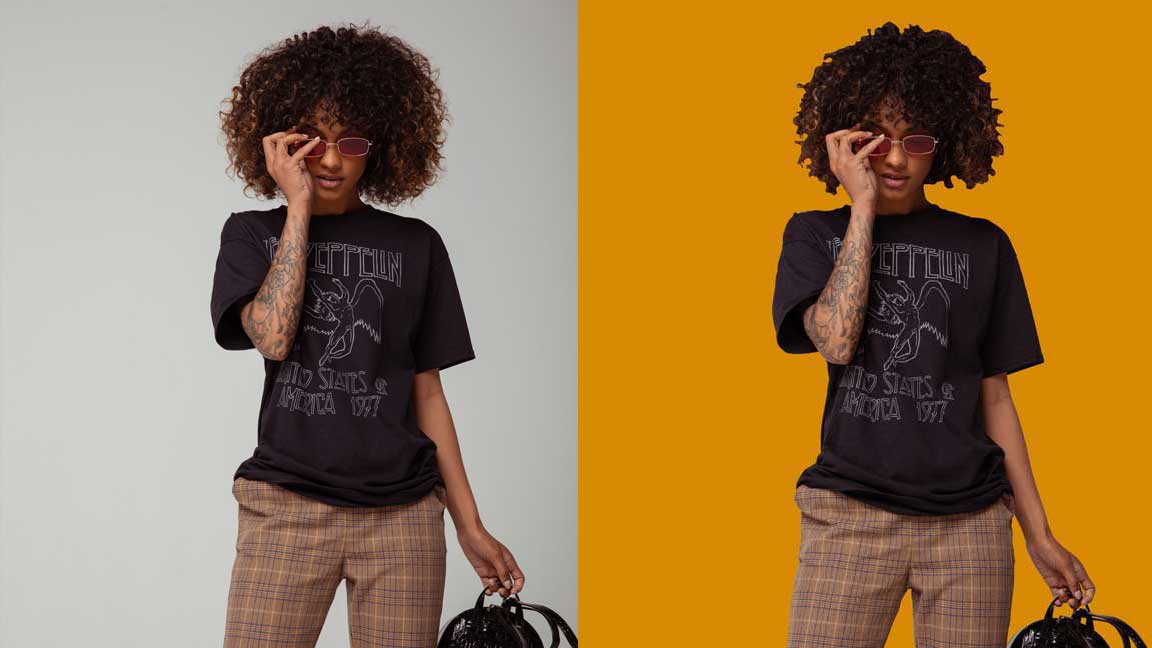
Clipping paths are best for simple product cutouts, while image masking is used for complex edges, transparency, and premium visuals.
Not sure which service to choose?
Use this quick comparison to avoid overpaying or choosing the wrong editing method.
Photoshop Clipping Path
Clipping path works best for simple products with hard edges like boxes, bottles, and phones. It gives clean, sharp cuts and is great for bulk editing, fast delivery, and low cost. It’s not ideal for soft edges or see-through parts, but it’s perfect for white backgrounds. Use it for Amazon, Shopify, or catalogs.
This method has limited revision options and offers basic detail. It’s partially non-destructive and gives a standard look. Choose clipping path when your images are clear-cut, and you need a fast, affordable fix for large batches.
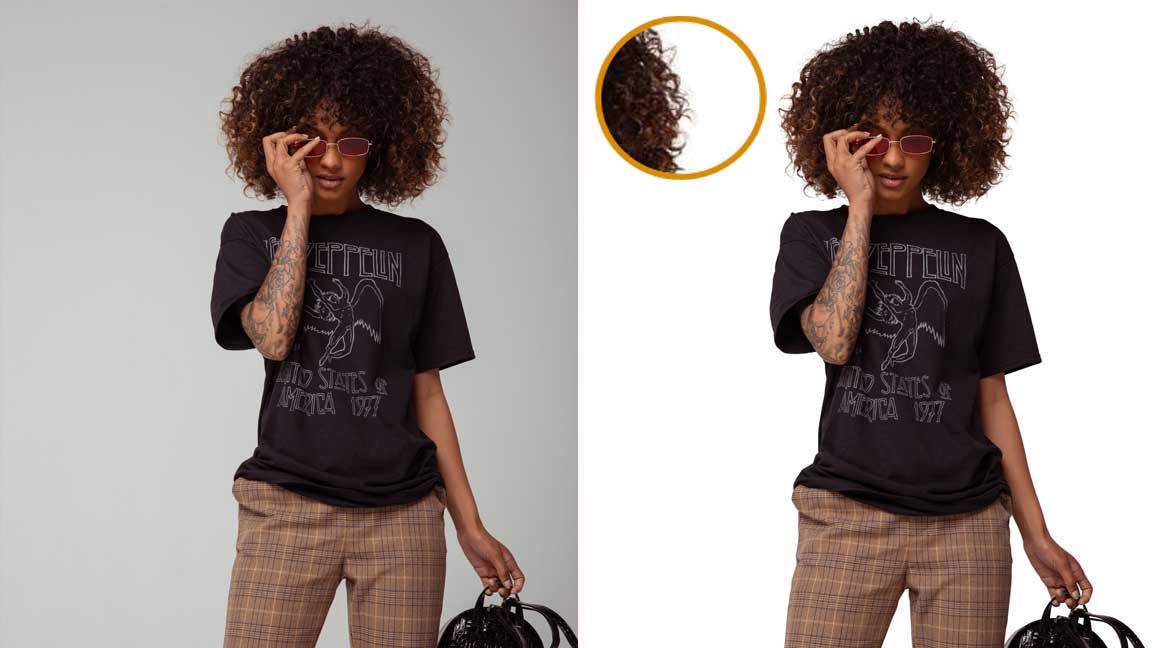
Image Masking Service
Image masking is best for complex images with hair, fur, glass, fabric, or shadows. It keeps soft edges smooth, supports full transparency, and allows unlimited changes. Though it’s slower and costs more, it’s fully non-destructive and captures tiny details.
You’ll get a realistic, high-end look, perfect for ads, fashion, or hero images. It’s great for select, premium images. If your photo needs depth, edge quality, and a natural finish, choose image masking. It gives you studio-level results where clipping path won’t cut it.
When Should I Use Image Masking Instead of Clipping Path?
Ever wonder why hair and glass never look right with only a path? Clipping path cuts clean shapes. Image masking protects every soft and tricky detail.
If your subject has soft edges, see-through parts, or lots of tiny details, image masking almost always beats clipping path. We use the right method for each case. Sometimes we even combine both. You get clean edges and natural details, every time.
Use clipping path when:
- Your subject has solid, clear edges.
- You’re editing boxes, bottles, devices, cars, or jewelry.
- You need fast, sharp cutouts for white or solid backgrounds.
Use image masking when:
- Your subject has soft edges, like hair or fur.
- You’re editing lace, fabric, smoke, fog, or transparent items like glass and water.
- The background is complex or high-contrast.
- You need to keep reflections, shadows, or semi-transparent details.
Things to Consider Before Choosing the Best Image Masking Service
Do not wait to see the flaw after the job is done. Check their quality, check their speed, check how they treat every image. Here’s what matters when picking an image masking service provider:
WE CHECK EVERY BOX IN THAT LIST.
Manual masking, not just auto tools
Ask if they use hand-drawn clipping paths and layer masks in Photoshop. Auto tools miss details.
Free trial or samples
Ask to see raw-to-final samples, not just final images. This shows how well their masking fixes hard issues like hair, glass, or busy backgrounds.
Fast turnaround time
Check if they can handle tight deadlines and high-volume image batches without dropping quality.
Transparent pricing
Look for clear rates, no hidden fees. Bulk discounts should make sense.
Industry-specific editing solutions.
Check if they know your niche, e-commerce, apparel, auto, jewelry, real estate.
Quality control and support
Make sure they offer 100% satisfaction guarantee and a real 24/7 in-house editing team.
For Booking : +88 01981-449221
We Are Available 24 Hours
Handmade vs. AI Image Masking — Which One Delivers Better Results?
AI is fast and rough. Handmade is slower and careful. The one you choose decides how your images feel. AI tools are fast. Handmade masking is careful and reliable. We use both, but always finish by hand.
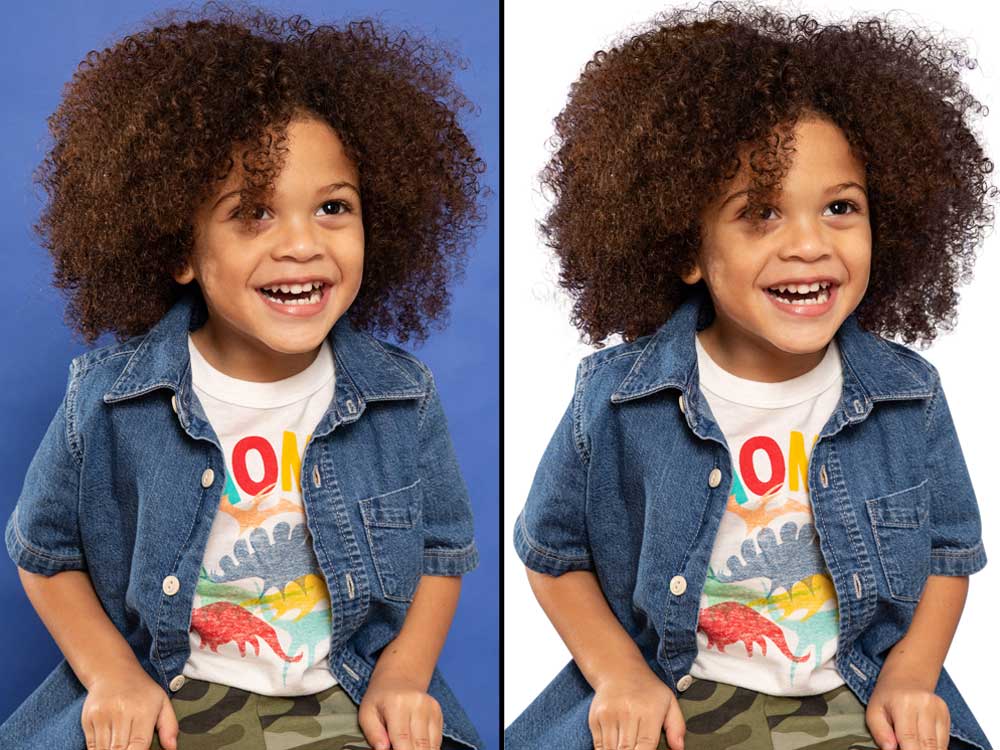
Hand Made Using Photoshop
Handmade masking is created pixel by pixel by a human editor, not guessed by software. Every edge is refined manually using layer masks, so transitions stay smooth and natural. Hair, fabric, glass, shadows, and fine details are preserved exactly as they appear in real life.
This process is fully non-destructive, which means nothing is permanently erased. Masks remain editable, allowing background, color, or shadow changes without rebuilding the image. That flexibility is critical for professional workflows.
Handmade masking delivers clean transparency, perfect edges, and consistent quality across every image. It’s the method used by studios, fashion brands, and serious eCommerce sellers who can’t afford visual mistakes.
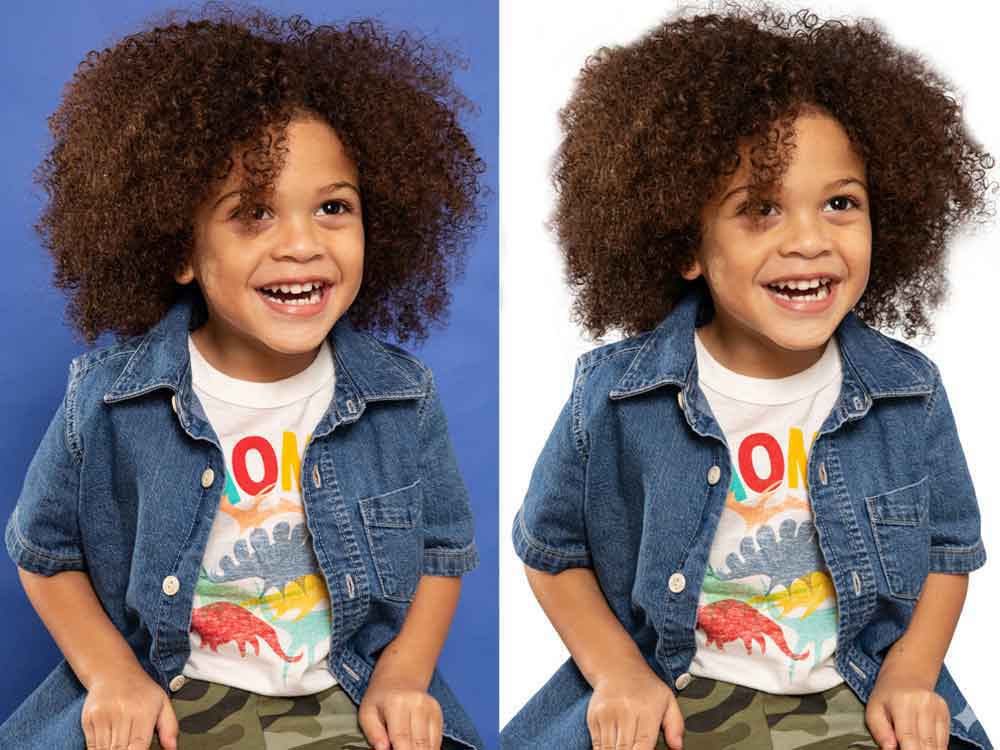
Online AI Tools Result
AI masking works by prediction. It’s fast, but it breaks when edges get complex. Hair becomes jagged. Fabric loses detail. Transparency fails. Shadows look cut out. The image starts to look edited instead of natural.
AI tools are not fully non-destructive. When the mask fails, fixing it often means starting over. Fine details, thin edges, and soft transitions are commonly lost, especially in premium product or fashion images.
AI is useful for speed, but it cannot match the precision, control, or reliability of human editing
See How We Handled 750+ Complex Image Masking Projects
Discover how we delivered high-quality hair masking for real clients with pixel-perfect accuracy — even on the most challenging images
What Our Clients Say
Every image we deliver carries a promise: pixel-perfect quality, fast turnaround, and zero compromise. Here’s what the brands, studios, and photographers we work with have to say about partnering with us.
Everything was great as always. There was a small mix-up with the download link, but the quality was excellent as expected.
My favorite service to use for website and sales images. They are the best in the business…
Everything fast and reliable
Frequently Asked Questions
Need Help?
Find answers to popular questions about our Photoshop image masking service. Don’t see yours? Contact our team.
What Is Photoshop Image Masking Service?
An image masking service is a non-destructive Photoshop editing process used to hide or reveal parts of an image without permanently deleting pixels. Masks use white to reveal, black to hide, and gray to control transparency.
It is used to remove or replace backgrounds around complex edges like hair, fur, wool, fabric, glass, smoke, and soft shadows, where a clipping path cannot create a natural result. The goal is to separate the subject cleanly while keeping fine details intact and the original image fully editable.
Which masking technique is best for different types of image masking needs?
Different kinds of image require different types of image masking: clipping paths for hard edges, alpha channel masking for hair and semi-transparent areas, and layer masks for non-destructive edits. Choosing the type of masking depends on the area of the image you’re masking, whether you need image background removal, or if the image has translucent elements that require advanced masking and image processing.
How to Decide if Image Masking Should Be Outsourced?
Tired of spending hours masking instead of growing your store? Keep creative control in-house. Send the hard masking to us.
Here’s when it makes sense to outsource image masking services:
- You have too many images. If masking takes more time than shooting or selling, it’s time to outsource.
- You need fast delivery and steady quality. We handle tight deadlines with our 24/7 in-house editing team.
- You’re not getting the quality you need in-house. Manual masking for hair, glass, and complex backgrounds needs skill and time.
- You need photo editing and clipping path support. We cover everything, image masking, clipping path, color correction, ghost mannequin, and more.
- You want to focus on sales, not editing. Our team takes over every image in your catalog while you focus on sales and campaigns.
Project Timeline for Our Image Masking Service
Fast, but never rushed. Quick, but always checked. We deliver fast turnaround time without dropping standards. Here’s how long it takes:
- Small batches (up to 50 images): 12–24 hours.
- Medium batches (50–200 images): 24–48 hours.
- Large batches (200+ images): We create a shared schedule and split the work across our 24/7 in-house editing team.
- Rush orders: Available with priority handling.
We split large orders across our in-house team and use fixed checkpoints for quality control. Timeline stays tight without dropping standards.
Deliverables from Our Professional Photoshop Masking Service
You don’t just get files. You get images ready to plug straight into your store, ads, or print designs.
Here’s what you receive from our image masking service:
- File formats: JPG, PNG, TIFF, PSD, your choice.
- Masked files: Transparent PNGs or layered PSDs with clean layer masks and clipping paths.
- Clipping paths: Embedded paths in PSD or TIFF for print and layout flexibility.
- Editable layers: PSDs include separate layers for subject, mask, shadow, and background. Easy to reuse.
- Organized naming: Files named and structured the way you want.
- Ready for use: Web, print, marketplaces, ads, everywhere.
We keep masks, paths, and main edits on separate layers in PSD files. Your team can change backgrounds, colors, or layouts later without new masking.
Why We’re the Best Image Masking Service Provider
If you’re tired of fixing rough edges yourself, you’re not alone. Sharp, clean images build trust. Messy cutouts scare buyers.
Clipping Photo Experts is your partner for professional image masking, clipping path, and photo editing services. We use hand-drawn masking, 24/7 in-house editing team, and quality control on every image.
We handle everything: hair masking, transparent object masking, apparel edits, ghost mannequin, and high-volume image batches. Our manual workflow, fast turnaround time, and 100% satisfaction guarantee make us different.
You do not have to switch your whole workflow at once. Start with a small batch or a free trial. Check the quality. Then grow from there.
📧 Email: sales@clippingphotoexperts.com
📞 Phone: +88 01981-449221
Who needs image masking and when would you require image masking?
Anyone working with product photos, portraits, e‑commerce listings, or composite images needs image masking when the background or parts of an image must be separated or refined.
Image masking helps remove the background, isolate hair, fur, transparent masking of glass or fabric, and retain fine details that clipping path service can’t handle. You may require image masking for image background removal, to cut out image subjects, or to use image masking to create composites and transparent images.
Why would I need image masking services instead of a clipping path service?
Clipping path service is ideal for hard edges but photo masking services and alpha masking are superior when you need to preserve soft edges, hair masking service, or transparent areas.
Masking technique such as alpha channel masking technique or photoshop image masking preserves fine details and ensures quality image masking for digital image projects where background removal or precise image masking is essential.
What is photoshop image masking and how does it differ from photoshop layer masking?
Photoshop image masking uses pixel-based masks, alpha channels, or layer masks to hide or reveal parts of an image without permanently altering pixels. Photoshop layer masking is a non-destructive technique within the same software; both are image masking techniques but layer masking often refers to editing inside layered documents while other masking techniques may use channels or advanced masking tools for complex areas like hair or transparent image elements.
How does a photoshop image masking service handle hair masking service and fine details?
A professional photoshop image masking service uses advanced masking techniques such as alpha masking and refined edge tools to separate hair, fur, or semi-transparent materials from the background. Quality services apply precise image masking to preserve the part of an image with fine strands, ensuring the photo has a subject that looks natural when placed on a new background or left transparent.
Can photo masking services remove the background of an image while keeping shadows and reflections?
Yes, professional photo masking services can remove the background while preserving natural shadows and reflections by using multiple masks, transparent masking, and compositing techniques. This ensures the subject remains grounded and realistic when you use the cut out image on a new background or in marketing materials, maintaining service quality and superior masking results.
How much does precise image masking cost per image and what affects the pricing?
Pricing per image depends on the complexity and the type of image: simple clipping path jobs cost less, while hair masking service, transparent masking, or advanced masking for multiple parts of an image increases the cost. Factors include turnaround time, level of image retouching services required, whether you need background removal plus shadow recreation, and the overall service quality offered by the image editing company.
Do image retouching services include masking services help for color correction and blemish removal?
Yes, most image retouching services include masking as part of their workflow to isolate areas for color correction, blemish removal, and texture smoothing. Using the image masking technique to mask an image allows technicians to apply edits to a specific area of the image without affecting the background, resulting in consistent, high-quality digital image outputs.
What types of image masking challenges can professional services solve that automated tools cannot?
Automated tools often struggle with complex edges, semi-transparent materials, hair, fine textiles, and reflective surfaces. Professional services apply a combination of alpha channel masking, manual refinement, and advanced masking techniques to handle such challenges, ensuring the part of image masking that matters — detail and realism — is preserved. This is why many clients judge our service quality based on final realism rather than speed alone.
How do I choose the right image editing company for photo mask and background removal needs?
Choose a company that demonstrates experience with the specific type of masking you need, offers samples of hair masking service and transparent masking, transparent pricing per image, and clear turnaround times. Look for an image editing service that uses advanced masking techniques, provides image retouching services, and has positive reviews about their service is one of consistent quality services and reliable results for the background of an image and the image you want to present.